
Why Torrents Like uTorrent Are Dying on Mac – Apple’s War on File Sharing? | Expert Review

Why Torrents Like uTorrent Are Dying on Mac Apple’s War on File Sharing?
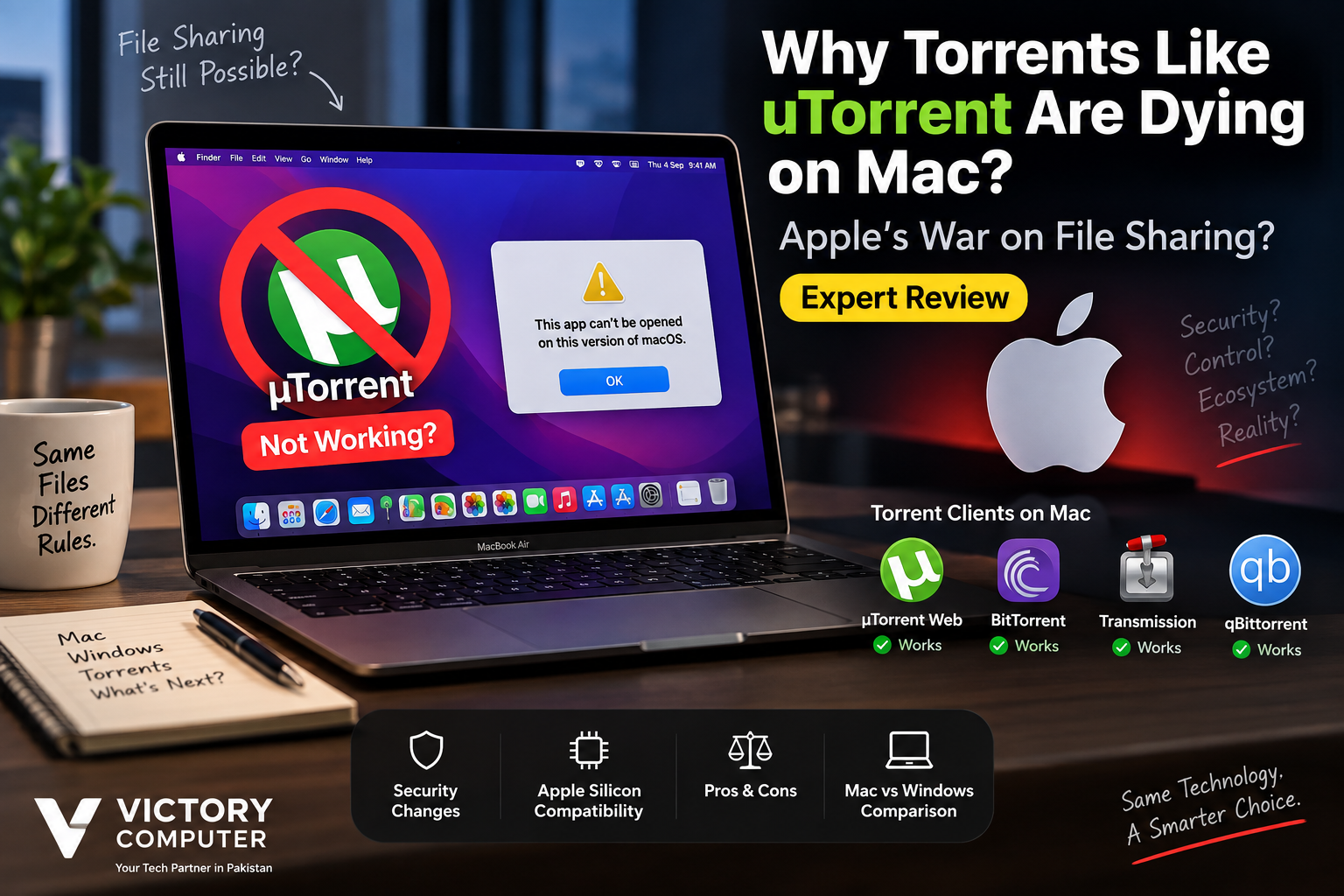
uTorrent on Mac has not disappeared because Apple banned torrents. The main problem is that the old µTorrent Classic for Mac was built around technology that became incompatible when macOS Catalina ended support for 32-bit applications. Modern Macs can still use BitTorrent technology through compatible clients, so describing the change as an Apple “war on file sharing” is misleading.
Why Did µTorrent Classic Stop Working on Modern Macs?
The biggest change came with macOS Catalina 10.15. Apple removed support for 32-bit applications, meaning software developers had to move their Mac applications to 64-bit versions to remain compatible.
µTorrent confirms that µTorrent Classic for Mac is not compatible with macOS Catalina 10.15 or newer. The desktop Classic client remains intended for macOS Mojave 10.14 and earlier.
This problem was not exclusive to torrent software. Many older utilities and applications were affected by the same transition. Our guide to 32-bit vs 64-bit Mac apps explains why Catalina caused such a major compatibility break.
Users specifically interested in the old client can also read our guide explaining why µTorrent Classic doesn’t run on modern Macs.
Did Apple Actually Ban Torrents on macOS?
No. Apple does not have a general macOS ban on BitTorrent software. Current torrent clients running on modern Macs provide clear evidence that the BitTorrent protocol itself is not blocked.
What Apple has done is tighten application security. Modern macOS versions use Gatekeeper, Developer ID signing, notarization and built-in malware protections to evaluate software downloaded outside the Mac App Store.
Under Apple’s default security configuration, downloaded applications may be checked for a valid developer identity, notarization and known malicious software. Users can encounter warnings when an application cannot be verified or does not meet those requirements.
Those protections affect many types of third-party applications, not just torrent clients. If software compatibility is a concern, see our guide to unsupported apps on macOS.
Are Torrent Clients Still Available for Mac in 2026?
Yes. Torrent clients are still available for modern macOS. The disappearance of µTorrent Classic should not be confused with the disappearance of BitTorrent support.
| Client | Modern Mac Support | Main Point |
|---|---|---|
| µTorrent Classic | No on Catalina 10.15+ | Legacy desktop client |
| µTorrent Web | Yes | Browser-based interface |
| BitTorrent Neo | Yes on supported newer macOS versions | Modern native Mac client |
| Transmission | Yes | Native Apple Silicon support available |
| qBittorrent | Yes | Current macOS builds available |
µTorrent’s own Mac page recommends µTorrent Web for users running Catalina and newer versions of macOS. BitTorrent also offers newer Mac software, while Transmission provides an Apple Silicon-native version for supported Macs.
qBittorrent also provides current macOS builds, although its developers note that macOS receives less development attention than some other platforms.
Does Apple Silicon Prevent Torrent Apps from Working?
No. Apple Silicon does not inherently prevent torrent clients from operating. Developers simply need software that supports the architecture directly or works through an appropriate compatibility path.
Transmission, for example, currently provides an Apple Silicon-native Mac build. That would not be possible if Apple Silicon itself blocked BitTorrent software.
The wider issue is that older applications sometimes stop receiving development work required for new processors and operating-system requirements. Our Apple Silicon vs Intel compatibility guide explains why some older Mac applications have struggled during Apple’s hardware transition.
Pros and Cons of Using Torrent Clients on a Mac
Pros
- Modern clients still exist: Mac users are not locked out of BitTorrent technology.
- Apple Silicon-native options are available: Applications such as Transmission support modern Apple hardware.
- macOS security checks provide another protection layer: Gatekeeper and notarization can warn users about unverified software.
- Multiple alternatives: Users are no longer dependent on µTorrent Classic.
Cons
- µTorrent Classic is obsolete on current macOS: Users familiar with the old desktop application need an alternative.
- Some clients receive weaker Mac support: qBittorrent, for example, states that macOS is not its main development priority.
- Security prompts can be confusing: Self-signed or unnotarized applications may trigger macOS warnings.
- Older guides are often outdated: Instructions written for Intel Macs or pre-Catalina macOS may no longer apply.
Why We Recommend Checking Compatibility First
Mac users who legitimately need BitTorrent should choose a client that explicitly supports their current macOS version and hardware. Do not disable important macOS security protections simply to install an outdated torrent application. Download software from its official developer source and verify compatibility before installation.
Mac vs Windows: Which Is Better for Torrent Software?
Windows generally offers a broader software ecosystem, but modern Macs are fully capable of running compatible BitTorrent clients. The decision should therefore depend on the applications you actually need rather than the assumption that torrents do not work on macOS.
| Platform | Torrent Support | Main Advantage | Main Trade-off |
|---|---|---|---|
| Modern macOS | Yes | Several current clients available | Some older Mac clients are incompatible |
| Apple Silicon Mac | Yes | Native clients such as Transmission available | Legacy Intel-era software can create compatibility issues |
| Windows | Yes | Broad client selection | Security still depends heavily on software and download source |
For a broader platform decision, our macOS vs Windows comparison covers software compatibility and other differences beyond torrent clients.
Are Apple’s Security Restrictions Responsible for the Confusion?
Partly. macOS has become stricter about how downloaded software is verified, but stricter security should not be confused with banning a category of software.
Gatekeeper checks applications downloaded outside the App Store, while notarization allows Apple to scan submitted software for known malicious content. Applications that cannot be verified can generate warnings, although macOS provides controlled ways to open trusted software in certain circumstances.
There is therefore no solid evidence that Apple introduced these protections specifically to suppress BitTorrent, protect Apple TV+, or force users toward Apple’s media services. Those claims should not be presented as fact without evidence.
Is Torrenting Legal on a Mac?
BitTorrent is a file-transfer protocol, so using a torrent client is not automatically copyright infringement. BitTorrent can distribute legitimate software, public-domain material, open-source projects and other files that users have permission to share.
Downloading or distributing copyrighted material without authorization can create legal issues regardless of whether the computer runs macOS, Windows or Linux. Users should therefore verify that they have permission to download and share the content involved.
Should Torrent Compatibility Affect Your MacBook Buying Decision?
For most buyers, torrent compatibility should not determine whether a MacBook is suitable. Modern Macs still have torrent-client options. Software compatibility becomes more important when your workflow depends on a specific legacy application that has never been updated for modern macOS.
Before buying a MacBook for work, study or professional use, list the applications you depend on and confirm macOS and Apple Silicon compatibility. This approach is much more useful than assuming that every Windows application has an equivalent Mac version.
Buyers in Pakistan can explore computers and get product guidance from Victory Computer. Compatibility should be checked against your specific software requirements before choosing between a MacBook and a Windows laptop.
Final Verdict: Is Apple Killing Torrents on Mac?
No. The evidence does not support the claim that Apple is killing BitTorrent or has declared a war on file sharing. What actually died was support for certain older applications, including µTorrent Classic, as macOS moved away from 32-bit software and introduced stronger security requirements.
In 2026, µTorrent Web, BitTorrent’s newer Mac options, Transmission and qBittorrent demonstrate that torrent technology remains available on macOS. The real story is software modernization and compatibility, not a platform-wide torrent ban.
Frequently Asked Questions
Why doesn’t µTorrent Classic work on modern Macs?
µTorrent Classic for Mac does not support macOS Catalina 10.15 or newer. Catalina removed support for 32-bit applications, while the old µTorrent Classic Mac client was not updated for that environment.
Does uTorrent on Mac still work?
Yes, but not the old Classic desktop client on modern macOS. µTorrent currently offers µTorrent Web for Mac users.
Did Apple ban torrent applications?
No. Compatible torrent clients can still run on macOS. Apple’s restrictions focus on application security, signing, notarization and malware protection rather than banning the BitTorrent protocol.
What torrent clients work on Apple Silicon Macs?
Current options include Transmission, which provides an Apple Silicon-native build, along with other actively maintained Mac-compatible clients. Always verify the current system requirements before installation.
Does qBittorrent work on macOS?
Yes. qBittorrent currently provides macOS builds, although the project notes that Mac development receives less attention than some other platforms.
Should I buy Windows instead of a Mac because of torrents?
Not for that reason alone. Both platforms support BitTorrent clients. Choose based on the full set of applications, games, professional software and hardware features required for your workflow.
Where to Buy a MacBook or Windows Laptop in Pakistan
Victory Computer offers laptops and computing products for customers across Pakistan. Before choosing a MacBook or Windows laptop, confirm that the operating system supports the applications required for your studies, business, gaming or professional work.
Victory Computer
Lahore, Pakistan
WhatsApp: 0300 9466881
Lorem ipsum dolor sit amet, consectetur adipiscing elit. Ut elit tellus, luctus nec ullamcorper mattis, pulvinar dapibus leo.

About Victory Computer Editorial Team
Victory Computer Editorial Team The Victory Computer Editorial Team publishes informative, research-based content about laptops, computers, monitors, printers, hardware, and technology trends in Pakistan. Our goal is to help readers understand product specifications, compare available options, and make informed purchasing decisions.
View all posts by Victory Computer Editorial Team