
AI-based financial planning and budgeting apps for Mac | Expert Review

AI-based financial planning and budgeting apps
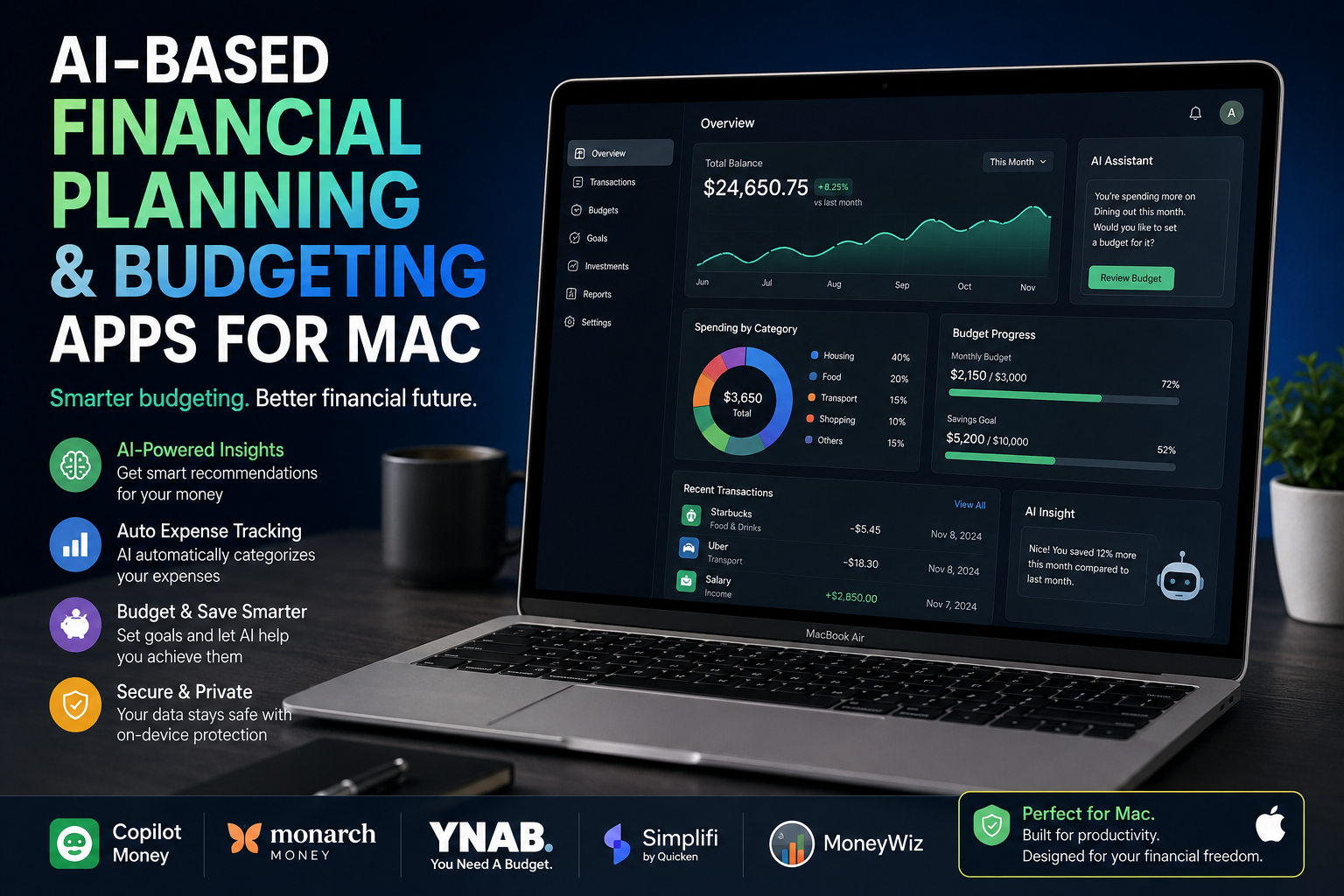
AI-based financial planning and budgeting apps for Mac can reduce the manual work involved in tracking expenses, categorizing transactions, monitoring budgets and reviewing financial trends. Apps such as Copilot Money, Monarch Money, YNAB, Quicken Simplifi and MoneyWiz offer different approaches, so the best choice depends on your country, banking support and budgeting style.
What Are AI Financial Planning Apps for Mac?
AI financial planning apps use automation, machine learning or intelligent rules to organize financial information and make budgeting easier. Instead of manually entering every expense into a spreadsheet, compatible services can import transactions, categorize spending and show patterns through dashboards and reports.
Not every finance app marketed as “smart” uses AI in the same way. Some use machine learning for transaction categorization, while others focus more heavily on budgeting rules, automated account syncing, cash-flow analysis or financial forecasting.
Mac users should therefore choose an application based on the financial problem they want to solve rather than selecting an app simply because it includes AI features.
Best AI-Based Financial Planning and Budgeting Apps for Mac
1. Copilot Money
Copilot Money is particularly relevant to Apple users because it supports Mac, iPhone and iPad alongside web access. Copilot can track spending, budgets, investments, savings, subscriptions, cash flow and net worth.
One of its more useful automation features is transaction categorization. Copilot states that its intelligence system learns spending patterns and automatically categorizes transactions. Historical transaction data can also be used during setup to suggest categories and establish an initial budget.
Best for: Apple-focused users who want automated transaction organization and an attractive financial dashboard.
2. Monarch Money
Monarch Money combines budgeting, financial tracking, goals, investments and net-worth monitoring. Its transaction system uses AI categorization, while users can create rules for automatically renaming merchants, changing categories, adding tags and organizing incoming transactions.
Monarch supports both category-based and flexible budgeting. It can therefore suit people who want detailed expense limits as well as users who prefer monitoring a broader flexible-spending target.
A major consideration for Mac users outside North America is regional support. Monarch’s official download information currently identifies availability in the United States and Canada, so users in Pakistan should confirm service and financial-institution compatibility before subscribing.
Best for: Households and users who want budgeting, goals, investments and net-worth tracking together.
3. YNAB
YNAB (You Need A Budget) takes a more hands-on approach. Instead of primarily acting as a passive expense tracker, YNAB is designed around deliberate budgeting and deciding how available money should be allocated.
YNAB supports automatic bank transaction imports where available and keeps financial information synchronized across computers, phones and tablets. It is a strong option for people who want to actively manage their spending rather than rely heavily on automated recommendations.
Best for: Users who want structured budgeting and greater control over how their income is allocated.
4. Quicken Simplifi
Quicken Simplifi is web-based, which makes it accessible through a supported browser on a Mac without requiring traditional desktop installation. Its Spending Plan accounts for income, recurring bills, subscriptions, savings goals and planned expenses before showing how much remains available to spend.
When accounts are connected, Simplifi can analyze previous transactions to identify recurring patterns and help establish the Spending Plan. Transactions can also be categorized automatically and adjusted according to the user’s preferences.
Best for: Mac users who prefer browser-based money management and straightforward cash-flow planning.
5. MoneyWiz
MoneyWiz is another option worth considering, particularly because its App Store listing supports Mac, iPhone, iPad and Apple Watch. The application covers accounts, budgets, savings goals, bills, subscriptions and investments.
MoneyWiz can also synchronize financial information across Apple devices. For users in Pakistan, it may be worth investigating alongside international services because actual automatic bank connectivity can differ substantially by country and financial institution.
Best for: Apple users looking for broad personal-finance management across multiple Apple devices.
AI Budgeting Apps vs Traditional Finance Tools
| Feature | AI/Automated Finance Apps | Traditional Manual Budgeting |
|---|---|---|
| Transaction Categorization | Can be automated | Usually manual |
| Expense Tracking | Can sync with supported accounts | Often manually entered |
| Budget Updates | Can update as transactions arrive | User updates spreadsheet or records |
| Financial Trends | Dashboards and automated reports | Requires manual analysis |
| Control | Depends on app and automation | High manual control |
| Privacy | Depends on provider and account connections | Can remain completely offline |
Pros and Cons of AI Financial Planning Apps for Mac
Pros
- Less manual work: Automatic categorization can reduce the time required to organize transactions.
- Better spending visibility: Dashboards make recurring expenses and spending patterns easier to identify.
- Budget monitoring: Many apps update budgets as new transactions are imported.
- Financial organization: Accounts, expenses, savings goals and investments can often be viewed from one dashboard.
- Multi-device access: Several services support Macs alongside smartphones, tablets or web browsers.
Cons
- Regional limitations: Automatic bank connections and some services may not support Pakistani financial institutions.
- Subscription costs: Many advanced personal-finance platforms require ongoing subscriptions.
- Privacy considerations: Connecting bank accounts requires trusting the app and its financial-data providers.
- Automation can make mistakes: Automatically categorized transactions still need occasional review.
Why We Recommend Them
AI financial planning apps for Mac are worth considering when you want to reduce repetitive expense tracking and obtain a clearer view of spending, savings and cash flow. They are less suitable for users who prefer completely offline financial records or whose banks are unsupported by the application’s account-connection services.
Are AI Finance Apps Secure on a Mac?
macOS provides security technologies including hardware-backed protections, encryption, app security controls and protections governing access to user data. However, the security of a financial application also depends on the application’s own infrastructure, authentication methods and third-party financial-data connections.
Before connecting a bank account, review the provider’s security and privacy documentation, enable multi-factor authentication where available, use a strong unique password and check exactly what financial information the service can access.
Mac security alone should not be treated as proof that every third-party financial application is equally secure.
Can AI Budgeting Apps Be Used in Pakistan?
Mac users in Pakistan need to check compatibility carefully. A budgeting app may run perfectly on macOS while its automatic bank connection features remain limited to supported countries or financial institutions.
If a Pakistani bank cannot connect automatically, look for applications that support manual accounts, CSV imports or manual transactions. This can preserve much of the budgeting and reporting functionality without relying on unsupported bank synchronization.
Which Mac Is Best for Financial Planning and Budgeting?
Most personal budgeting applications are not computationally demanding. A modern MacBook Air is generally more than capable of browser-based financial dashboards, spreadsheets, budgeting applications and normal personal-finance workflows.
A higher-performance MacBook Pro becomes more relevant when the same computer is also being used for demanding professional workloads, large datasets, software development, content creation or other resource-intensive applications. Buying a high-end Mac solely to run a budgeting app is generally unnecessary.
Readers comparing computers for professional work can also explore Victory Computer’s MacBook and laptop buying guides before deciding which system best fits their broader workload.
What Should You Look for in a Mac Budgeting App?
- Support for your country and financial institution
- Automatic and manual transaction entry
- Reliable expense categorization
- Custom budgets and savings goals
- Recurring bill and subscription tracking
- Useful reports and cash-flow views
- Multi-factor authentication and clear privacy policies
- CSV or other import/export options
- Mac, web and mobile compatibility
- A subscription price justified by the features you actually use
Which AI Financial Planning App for Mac Should You Choose?
Choose Copilot Money if you are heavily invested in Apple’s ecosystem and its regional support fits your financial accounts. Choose Monarch Money for broader household finance, budgeting and net-worth tracking. Choose YNAB if you want disciplined, hands-on budgeting, or Quicken Simplifi if you prefer a straightforward web-based Spending Plan.
For users in Pakistan, compatibility should come before feature count. Confirm that the service works in your region and supports your bank before paying for a subscription.
Buying a Mac for Finance, Business and Professional Work in Pakistan
If you are choosing a MacBook primarily for budgeting, accounting, spreadsheets and browser-based financial applications, you normally do not need the highest-end hardware configuration. Prioritize comfortable memory and storage, battery life, display size and the other applications you expect to run alongside your finance software.
Victory Computer provides computers and related technology products for customers in Pakistan. Buyers can browse available systems through Victory Computer and contact the Lahore team for current product and warranty information before purchasing.
Frequently Asked Questions
What are the best AI financial planning apps for Mac?
Copilot Money, Monarch Money, YNAB, Quicken Simplifi and MoneyWiz are notable options, but their automation, budgeting methods and regional availability differ.
Do AI budgeting apps automatically categorize expenses?
Some do. Copilot Money and Monarch Money, for example, provide automated transaction categorization, but users should still review categories for errors.
Can I use AI budgeting apps on a MacBook Air?
Yes. Personal-finance and budgeting software generally does not require high-end hardware, making a modern MacBook Air suitable for typical budgeting and expense-management workloads.
Do Mac finance apps work with Pakistani banks?
Not necessarily. Bank connectivity depends on the application and financial-data provider, so Pakistani users should verify their bank before subscribing.
Are AI budgeting apps better than Excel spreadsheets?
They can be better for automation, transaction importing and ongoing monitoring. A spreadsheet may be preferable when you want complete manual control, offline records or a highly customized budgeting system.
Can AI financial apps replace a financial adviser?
No. Budgeting applications can organize data and provide automated insights, but automated suggestions should not be treated as individualized professional investment, tax or legal advice.
Final Verdict
AI financial planning apps for Mac can make budgeting significantly easier by automating transaction organization, tracking spending and presenting financial information in useful dashboards. Copilot Money stands out for Apple-focused users, Monarch Money offers broad household financial management, YNAB emphasizes active budgeting, and Quicken Simplifi provides an accessible web-based approach.
For Mac users in Pakistan, however, the most important question is not which application has the longest feature list. Check regional availability, Pakistani bank compatibility, privacy practices and subscription costs before committing to a service.

About Victory Computer Editorial Team
Victory Computer Editorial Team The Victory Computer Editorial Team publishes informative, research-based content about laptops, computers, monitors, printers, hardware, and technology trends in Pakistan. Our goal is to help readers understand product specifications, compare available options, and make informed purchasing decisions.
View all posts by Victory Computer Editorial Team