
AI in augmented reality experiences on Mac | Expert Review

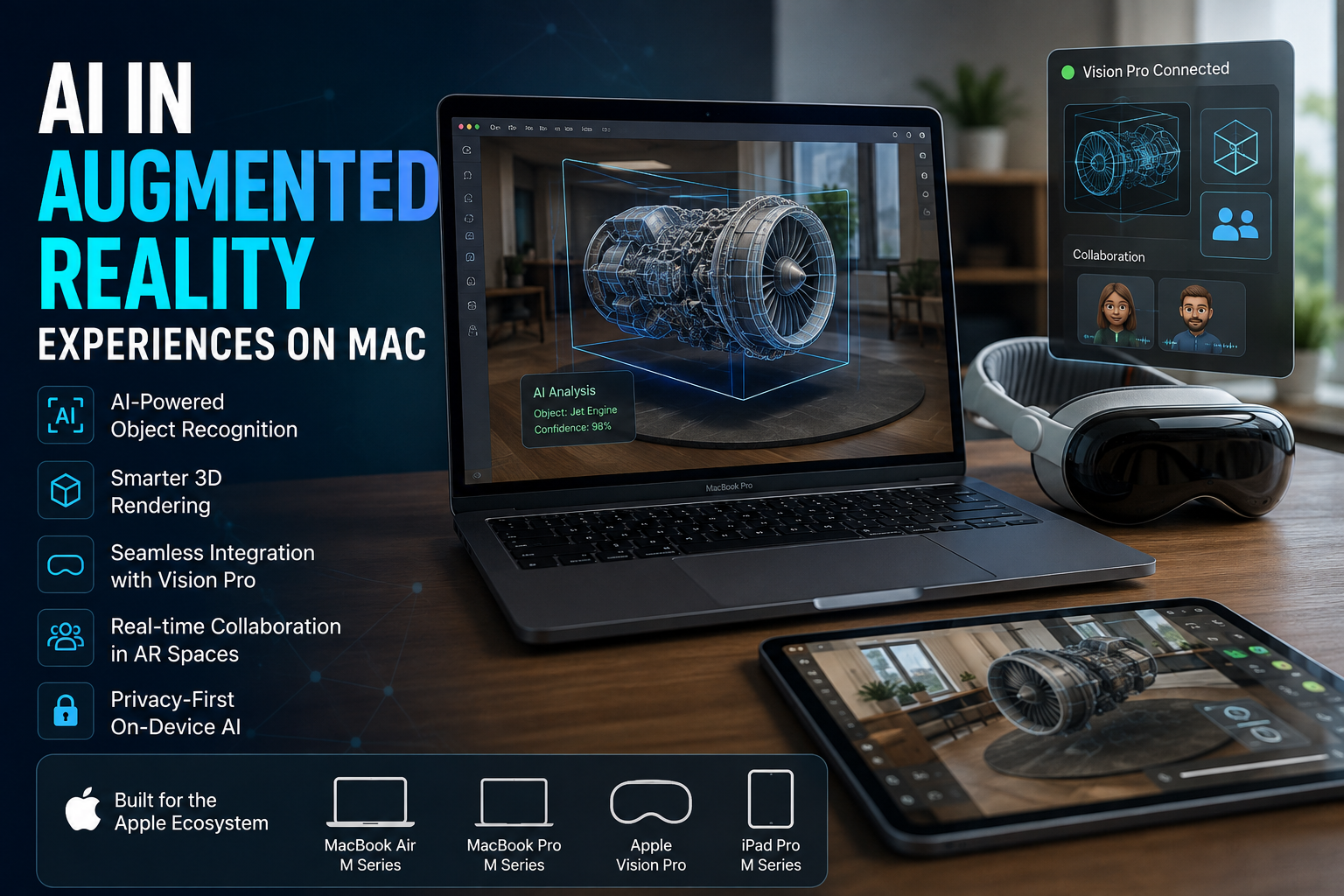
AI in Augmented Reality
AI in augmented reality experiences on Mac combines machine learning, computer vision and 3D technologies to help developers create more intelligent spatial applications. Apple provides technologies including Core ML, RealityKit and ARKit, while Apple Vision Pro extends the ecosystem into spatial computing. The biggest advantage is tighter integration between AI, 3D content and Apple hardware, although development cost and hardware requirements remain important limitations.
How Does AI Improve Augmented Reality on Mac?
Artificial intelligence makes augmented reality more useful by helping software understand images, objects and contextual information instead of simply displaying 3D graphics.
Apple’s Core ML framework allows developers to integrate machine-learning models into applications and perform predictions on-device. Core ML can use the CPU, GPU and Neural Engine, making it useful for applications involving image classification, object detection and other intelligent features.
RealityKit provides Apple’s 3D simulation and rendering environment for creating augmented-reality and 3D applications across platforms including macOS and visionOS. Developers can combine these technologies when building intelligent spatial applications.
AI, RealityKit and ARKit: What Is the Difference?
| Technology | Main Role | How It Helps AR |
|---|---|---|
| Core ML | Machine learning | Runs trained models for recognition, prediction and intelligent application features. |
| RealityKit | 3D rendering and simulation | Creates and manages 3D scenes, animations, physics and spatial content. |
| ARKit | Tracking and environmental understanding | Provides capabilities such as world tracking, plane detection and scene understanding on supported Apple platforms. |
| Vision | Image and video analysis | Supports computer-vision tasks that can complement intelligent AR applications. |
These technologies solve different parts of the problem. AI can interpret information, RealityKit can render and simulate the digital environment, and ARKit can help an application understand and track physical surroundings.
Apple Vision Pro and Mac Integration
Apple Vision Pro adds an important spatial-computing component to the Mac ecosystem. Developers can use visionOS technologies to build experiences that respond to a user’s physical environment.
ARKit on visionOS includes capabilities such as plane detection, world tracking, hand tracking, scene reconstruction, image tracking and object tracking. These capabilities allow applications to position and interact with digital content according to real-world surroundings.
Mac users can also connect compatible Macs to Apple Vision Pro through Mac Virtual Display. This allows the Mac workspace to appear inside Vision Pro while visionOS applications remain available around it. Wide and Ultrawide modes have additional Apple silicon and operating-system requirements.
Where Can AI-Powered AR Be Useful?
AI in augmented reality experiences on Mac has practical applications beyond entertainment. The combination of machine learning, spatial tracking and 3D visualization can support several professional workflows.
- 3D design: Designers can develop and inspect spatial models and interactive environments.
- Training: AR applications can place instructions or digital information around physical objects.
- Object recognition: Machine-learning models can help applications identify objects and respond with relevant digital content.
- Product visualization: Spatial applications can demonstrate how virtual objects relate to real environments.
- Education: Interactive 3D models can make complex concepts easier to explore visually.
- Professional visualization: Spatial computing can provide additional ways to examine models, information and workflows.
AI-Powered AR vs Traditional AR
| Area | AI-Enhanced AR | Basic AR |
|---|---|---|
| Recognition | Can use trained models to identify or classify visual information | Usually depends more heavily on predefined rules and tracking |
| Interaction | Can respond intelligently to detected information | Primarily follows programmed interactions |
| Personalization | Machine learning can enable adaptive features | Usually provides more fixed experiences |
| Processing | Can use Apple’s on-device ML technologies | Depends on the application’s architecture |
| Development | May require ML models plus AR/3D expertise | Can be simpler for basic AR projects |
Pros and Cons of AI in Augmented Reality Experiences on Mac
Pros
- On-device machine learning: Core ML can perform predictions directly on Apple devices, reducing dependence on a network connection for supported workflows.
- Strong Apple development stack: RealityKit, ARKit, Vision and Core ML provide complementary technologies for building intelligent spatial applications.
- Advanced spatial tracking: Vision Pro supports capabilities including hand tracking, world tracking, scene reconstruction and object tracking.
- Mac and Vision Pro workflow: Mac Virtual Display gives professionals another way to use Mac applications within a spatial workspace.
- Privacy advantages: Apple’s frameworks can perform many machine-learning and spatial-processing tasks on-device.
Cons
- Higher development complexity: Combining machine learning, 3D development and spatial interaction requires more specialized knowledge than a conventional Mac application.
- Hardware requirements: Advanced Vision Pro workflows require additional hardware beyond the Mac itself.
- Not every Mac needs AR: Many everyday productivity, office and student workflows receive little benefit from spatial computing.
- Professional projects can require significant resources: Complex 3D assets, machine-learning models and real-time rendering can increase development workload.
Why We Recommend It
AI-powered AR makes the most sense for developers, designers, educators and professionals who have a genuine need for object recognition, spatial visualization or interactive 3D experiences. For standard office work, browsing and general productivity, conventional Mac applications remain simpler and usually more practical.
Which Mac Is Better for AI and AR Development?
The right Mac depends on the complexity of the development workflow rather than AR alone. Lightweight coding, application development and basic 3D work may not require the highest-end Mac configuration. Larger 3D projects, complex scenes and demanding professional applications can benefit from greater GPU capability and memory.
Instead of buying a Mac solely because it has the highest specification, buyers should consider the development tools, project complexity, memory requirements and expected 3D workload.
Readers comparing portable Macs can also review Victory Computer’s MacBook Air buying content and available computer range before deciding which configuration matches their workload.
Privacy in AI-Powered Spatial Computing
Privacy is particularly important in AR because spatial applications may work with information about a user’s surroundings. Apple states that visionOS processes certain spatial information on-device and limits the environmental information applications receive unless access is required and permitted.
Core ML similarly supports running machine-learning models directly on a person’s device. On-device processing can reduce the need to send certain inputs to remote servers, although the privacy of any individual application still depends on how that application is designed.
Is AI-Powered AR on Mac Worth It?
AI in augmented reality experiences on Mac is most valuable when an application needs both spatial understanding and intelligent processing. Apple’s combination of RealityKit, Core ML, Vision, ARKit and visionOS gives developers a broad set of tools for building these experiences.
The main trade-off is complexity. AI and AR can make applications more context-aware and interactive, but developers need appropriate skills, hardware and a genuine use case. Adding AI or AR simply because the technologies are available rarely improves an application.
For buyers researching Macs for development, 3D work or other demanding professional workloads, Victory Computer offers computers and buying guidance for customers in Pakistan. Confirm the current model, specifications, warranty terms and availability before purchasing because inventory can change.
Frequently Asked Questions
How does AI improve augmented reality on Mac?
AI can add capabilities such as image analysis, object recognition and prediction to AR applications. Developers can combine machine-learning frameworks such as Core ML with Apple’s 3D and spatial technologies.
Can Macs be used to develop augmented reality applications?
Yes. RealityKit supports macOS, and Apple’s development ecosystem provides technologies for creating 3D and spatial applications across Apple platforms.
Does Apple Vision Pro work with a Mac?
Yes. Apple’s Mac Virtual Display lets compatible Macs display their workspace inside Apple Vision Pro. Some advanced display modes require Apple silicon and specific macOS and visionOS versions.
What is the difference between ARKit and RealityKit?
ARKit focuses primarily on sensing, tracking and understanding the physical environment, while RealityKit provides tools for rendering, simulation and interaction with 3D content.
Can Core ML be used with augmented reality?
Is AI-powered AR worth using?

About Victory Computer Editorial Team
Victory Computer Editorial Team The Victory Computer Editorial Team publishes informative, research-based content about laptops, computers, monitors, printers, hardware, and technology trends in Pakistan. Our goal is to help readers understand product specifications, compare available options, and make informed purchasing decisions.
View all posts by Victory Computer Editorial Team