
SAMSUNG LED 24″ S24A336NHUXEN | Expert review

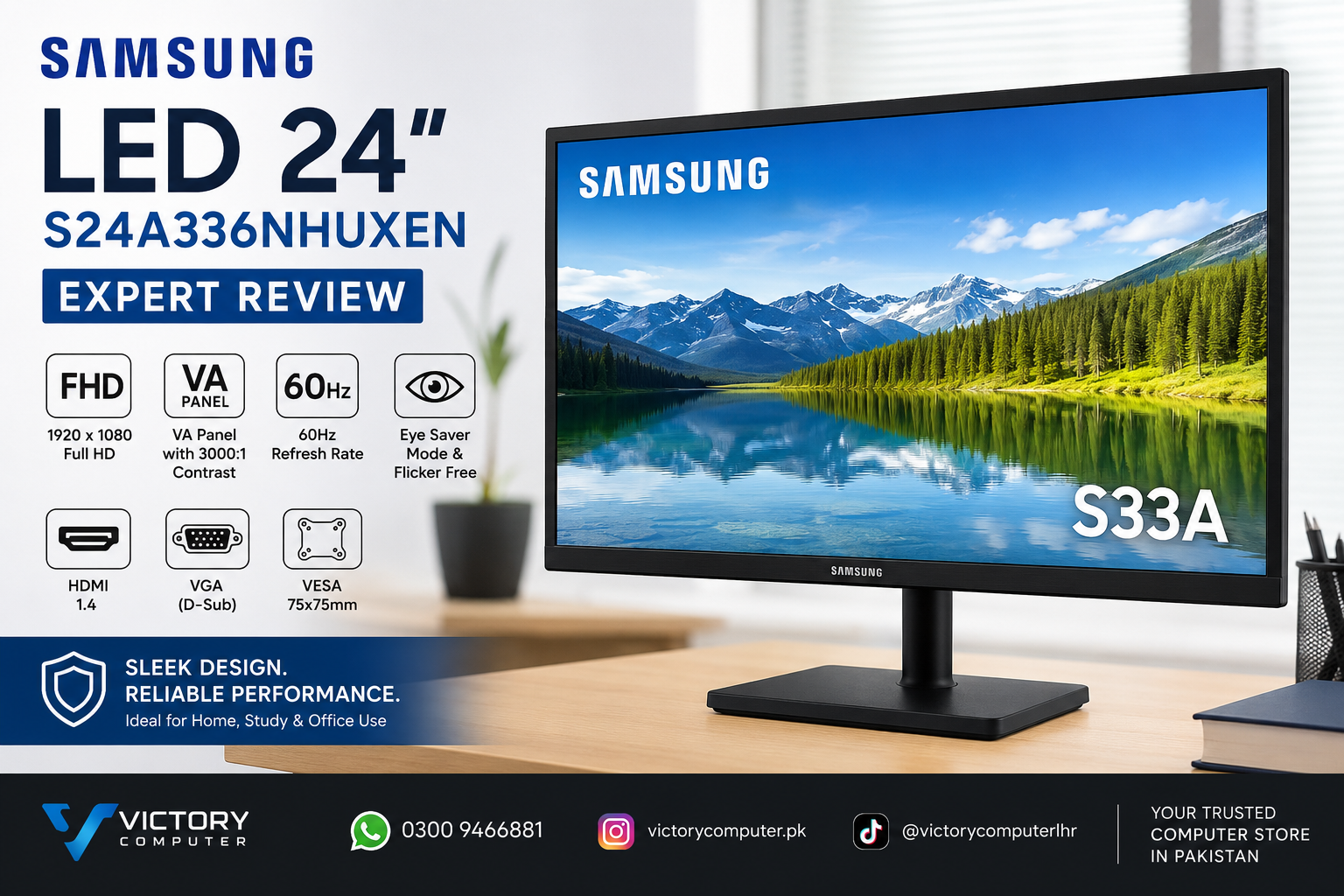
SAMSUNG LED 24″ S24A336NHUXEN | Expert Review
The Samsung LED 24″ S24A336NHUXEN is a practical Full HD monitor for office work, study, browsing and everyday home use. Its 24-inch-class VA panel combines 1920 × 1080 resolution with strong 3000:1 typical contrast, while Eye Saver Mode and Flicker Free support more comfortable long sessions. The main trade-off is its 60Hz refresh rate, which targets productivity and casual entertainment rather than high-refresh competitive gaming.
Samsung LED 24″ S24A336NHUXEN Overview
The Samsung LED 24″ S24A336NHUXEN belongs to Samsung’s S33A monitor family. Samsung specifies a flat VA display with Full HD resolution, a 16:9 aspect ratio and wide 178° horizontal and vertical viewing angles. These characteristics make the monitor suitable for common desktop tasks where readable text, clear documents and good contrast matter more than premium gaming features.
For buyers comparing LED monitors in Pakistan, the S24A336NHUXEN sits in the straightforward productivity category. It provides essential connectivity and useful eye-comfort functions without adding USB-C, DisplayPort, integrated speakers or a high refresh rate.
Display Quality and Everyday Use
The monitor uses a VA panel with a typical 3000:1 static contrast ratio. VA technology is particularly useful when deeper blacks and stronger separation between bright and dark areas matter. Documents, spreadsheets, websites, streaming content and general multimedia therefore suit the display well.
Samsung specifies a 1920 × 1080 Full HD resolution, 250 cd/m² typical brightness, support for up to 16.7 million colours and 178° horizontal/vertical viewing angles.
The Full HD resolution is appropriate for a screen in this size class because text and interface elements remain easy to read without demanding a particularly powerful graphics processor.
The Samsung LED 24″ S24A336NHUXEN, however, is not positioned as a specialist professional colour-grading monitor. Photographers, print professionals and video editors requiring calibrated colour accuracy should consider a display specifically designed for colour-critical work.
Is 60Hz Good Enough?
Yes, 60Hz is sufficient for office productivity, online classes, browsing, video playback and normal PC use. Samsung also specifies a 5ms GTG response time and includes Game Mode, which adjusts screen contrast to reveal more detail in darker areas.
The limitation becomes more noticeable in competitive gaming. Players using a gaming PC capable of producing high frame rates will generally benefit more from a 100Hz, 144Hz, 165Hz or faster display.
If gaming is your primary requirement, compare monitors in Victory Computer’s gaming monitor range rather than choosing purely on screen size.
Eye Comfort for Long Work Sessions
The Samsung LED 24″ S24A336NHUXEN includes Eye Saver Mode and Flicker Free technology. Eye Saver Mode reduces blue-light output, while Flicker Free is designed to reduce screen flicker.
These functions are useful for students, office staff and home users who spend extended periods reading documents, entering data, attending online meetings or working with browser-based applications.
Monitor features alone cannot guarantee eye comfort. Suitable screen brightness, viewing distance, room lighting and regular breaks remain important during extended computer use.
HDMI and VGA Connectivity
Connectivity is simple but useful. Samsung specifies one HDMI 1.4 input and one D-Sub/VGA input.
- HDMI: Suitable for most modern desktop PCs, laptops and compatible devices.
- VGA/D-Sub: Useful for older desktop computers and legacy office systems.
The Samsung LED 24″ S24A336NHUXEN does not include DisplayPort, USB-C, a USB hub, headphone output or built-in speakers.
Users who require one-cable USB-C docking, integrated audio or more advanced multi-monitor connectivity should consider a monitor specifically designed around those requirements.
Design, Stand and VESA Mounting
The Samsung monitor uses a simple black desktop design with tilt adjustment. Samsung specifies approximately -5° to 21° of tilt, providing basic screen-angle adjustment for a normal desk setup.
The monitor also supports a 75 × 75 mm VESA mounting pattern. This allows the display to work with a compatible monitor arm or wall mount, which can help free desk space and improve positioning.
The supplied stand does not provide height, swivel or pivot adjustment. Buyers who need greater ergonomic flexibility should either use the VESA mount or choose a monitor with a fully adjustable stand.
Who Should Buy the Samsung S24A336NHUXEN?
The Samsung LED 24″ S24A336NHUXEN is best suited to buyers who need a dependable Full HD screen for conventional computing rather than specialised gaming or professional creative work.
Good choice for
- Office desktops and reception systems
- Students and online learning
- Home-office setups
- Web browsing and email
- Microsoft Office and spreadsheet work
- Casual video and multimedia
- Older computers that still require VGA
Consider another monitor if you need
- High-refresh competitive gaming
- Professional colour-critical editing
- USB-C docking
- Built-in speakers
- DisplayPort connectivity
- Height, swivel and pivot adjustment from the included stand
For another conventional productivity option, you can also compare our Dell 24″ E2425HS review.
Samsung S24A336NHUXEN Pros and Cons
Pros
- 1920 × 1080 Full HD resolution
- VA panel with 3000:1 typical contrast
- Eye Saver Mode and Flicker Free
- HDMI and VGA connectivity
- 178° viewing-angle specification
- 75 × 75 mm VESA mounting support
Cons
- Maximum 60Hz refresh rate
- No DisplayPort
- No USB-C
- No built-in speakers
- Basic tilt-only stand
- Not intended for professional colour-critical workflows
Why We Recommend It
The Samsung LED 24″ S24A336NHUXEN makes sense for users who prioritise a simple Full HD work monitor, strong VA-panel contrast and compatibility with both HDMI and older VGA-equipped computers.
Its strongest use cases are office work, study and general home computing. Competitive gamers and professional creative users should compare more specialised displays before purchasing.
Samsung LED 24″ S24A336NHUXEN Price in Pakistan
The Samsung LED 24″ S24A336NHUXEN price in Pakistan can change according to stock, distributor supply and market conditions. An evergreen review should therefore avoid displaying an unverified fixed price.
You can check the current Samsung LED 24 S24A336NHUXEN product page and compare other LED monitors available through Victory Computer.
For product-specific warranty coverage, confirm the current listing and review the Victory Computer warranty policy before purchasing.
Final Verdict
The Samsung LED 24″ S24A336NHUXEN is a sensible productivity monitor for users who value Full HD resolution, strong VA contrast, HDMI/VGA compatibility and Samsung’s eye-comfort functions. Its 60Hz refresh rate and basic connectivity keep it focused on normal office, study and home use rather than premium gaming or professional creative workloads.
Browse Victory Computer for current computer hardware and monitor options in Pakistan.
Frequently Asked Questions
Is the Samsung S24A336NHUXEN Full HD?
Yes. Samsung specifies a 1920 × 1080 Full HD resolution with a 16:9 aspect ratio.
What panel does the Samsung S24A336NHUXEN use?
It uses a VA panel with a typical 3000:1 static contrast ratio and 178° horizontal and vertical viewing-angle specification.
What is the refresh rate of the Samsung S24A336NHUXEN?
The maximum refresh rate is 60Hz. It is suitable for everyday productivity and casual use, while competitive gamers will generally benefit from a higher-refresh display.
Does the Samsung S24A336NHUXEN have HDMI?
Yes. Samsung specifies one HDMI 1.4 input along with one D-Sub/VGA input.
Does the Samsung S24A336NHUXEN have built-in speakers?
No. Samsung’s official specification lists no integrated speaker.
Can the Samsung S24A336NHUXEN be mounted on a monitor arm?
Yes. The monitor supports a 75 × 75 mm VESA mounting pattern and can be used with a compatible monitor arm or wall mount.
Lorem ipsum dolor sit amet, consectetur adipiscing elit. Ut elit tellus, luctus nec ullamcorper mattis, pulvinar dapibus leo.

About Victory Computer Editorial Team
Victory Computer Editorial Team The Victory Computer Editorial Team publishes informative, research-based content about laptops, computers, monitors, printers, hardware, and technology trends in Pakistan. Our goal is to help readers understand product specifications, compare available options, and make informed purchasing decisions.
View all posts by Victory Computer Editorial Team