
AI-assisted brainstorming and ideation tools on Mac | Expert Review

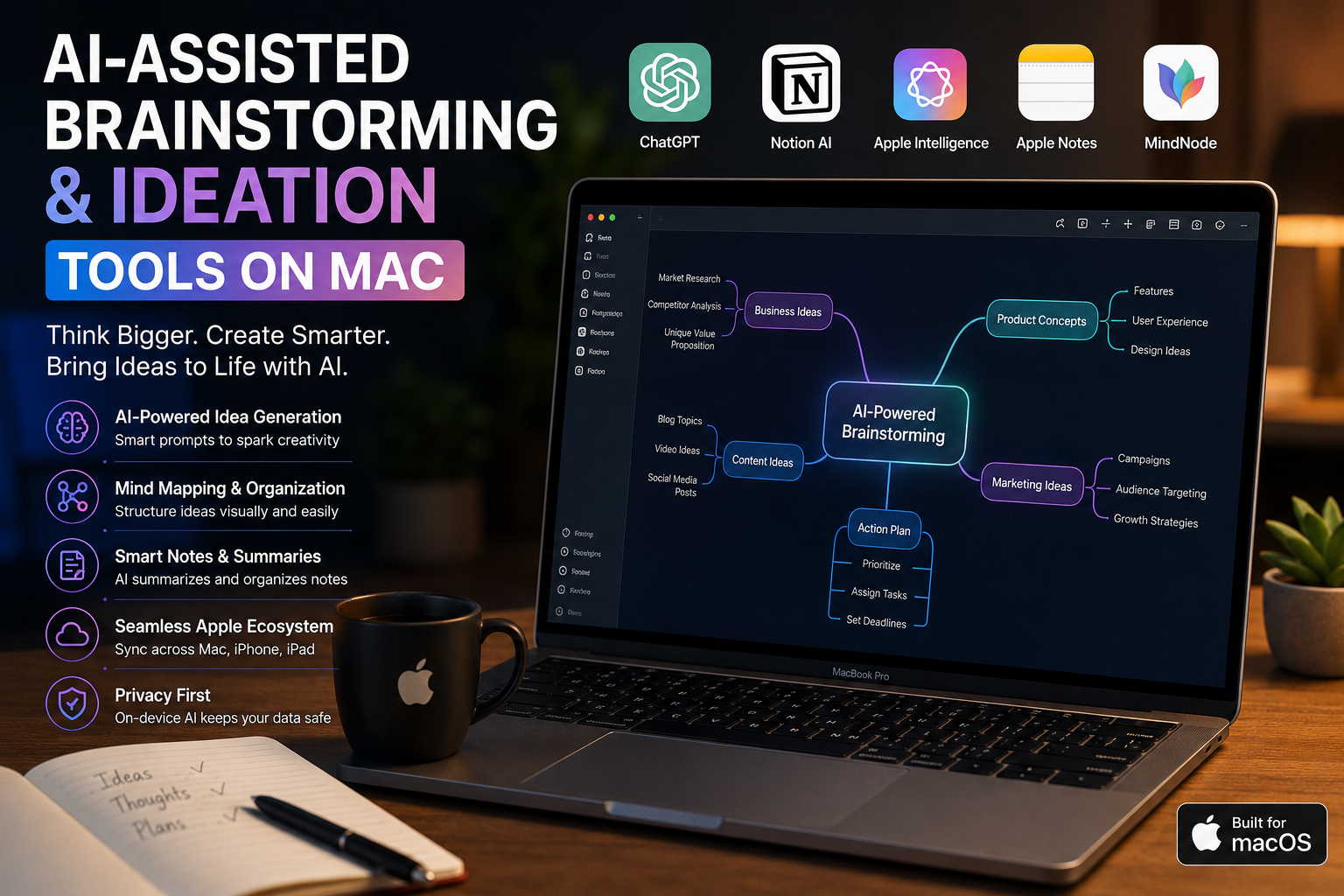
AI-Assisted Brainstorming and Ideation Tools on Mac | Expert Review
AI brainstorming tools on Mac can help turn a rough thought into ideas, outlines, questions, alternative approaches, summaries, and structured project plans. Apple Intelligence Writing Tools, ChatGPT, Notion AI, and familiar Mac productivity apps can shorten the early stages of creative work, but human judgment remains essential for choosing and verifying the final ideas.
How Do AI Brainstorming Tools on Mac Work?
AI brainstorming software works best as a thinking assistant rather than an automatic source of perfect ideas. A user provides a topic, problem, draft, research note, or objective, and the AI can suggest directions that might otherwise take longer to develop manually.
For example, a student can ask for research questions around a broad topic, a marketer can generate campaign angles, and a business owner can turn scattered meeting notes into possible priorities. Writers can also ask AI to challenge an idea, identify missing perspectives, or generate alternative structures before drafting.
The strongest workflow is usually human idea → AI expansion → human evaluation → AI organization → final human decision. This keeps the user responsible for accuracy and creative direction.
Best AI Brainstorming Tools on Mac
The best tool depends on where your ideas already live. Apple Intelligence is useful for system-level writing assistance on compatible Macs, ChatGPT is suited to conversational exploration, while Notion AI is particularly useful when brainstorming needs to remain connected to existing documents, tasks, and workspace information.
1. Apple Intelligence Writing Tools
Apple’s Writing Tools can proofread, rewrite, summarize, extract key points, and reorganize selected text into lists or tables. Apple also provides a “Describe your change” option for more specific transformations. These features can be useful after an initial brainstorming session when scattered notes need to become a clearer structure.
According to Apple’s Writing Tools documentation, Writing Tools are available in many places where users type, including supported third-party apps. Apple also warns that generative outputs can vary, so important information should be checked for accuracy.
2. ChatGPT on Mac
ChatGPT is particularly useful for open-ended ideation because brainstorming can continue as a conversation. Instead of requesting 20 random ideas, users can provide constraints and progressively improve the result.
A more useful prompt might be: “Give me five campaign concepts for university laptop buyers in Pakistan. Explain the audience problem behind each idea, then challenge the weakest three.” That approach encourages comparison and refinement instead of simple list generation.
ChatGPT can also help transform brainstorming into working documents and structured outputs. OpenAI’s current ChatGPT Work experience is designed to help turn notes, drafts, files, and ideas into finished work.
3. Notion AI
Notion AI makes sense when ideas need to remain connected to project documentation. Users can brainstorm inside a workspace and then convert useful ideas into pages, tasks, project plans, or other organized material.
Notion’s official AI documentation describes Notion AI as integrated directly into the workspace, allowing it to work with project plans, tasks, documents, and connected information where supported.
This makes Notion AI particularly relevant for teams moving from idea → plan → task → execution rather than using AI only for one-off prompts.
4. Apple Notes with AI Assistance
Apple Notes remains useful as a simple capture tool. On compatible systems, Writing Tools can help users summarize, reorganize, or rewrite selected material inside Notes.
A practical workflow is to capture ideas quickly without worrying about structure, then use Writing Tools to extract key points or convert the material into a list. The user can then decide which ideas deserve further development.
5. Pages and Keynote
Pages and Keynote become useful later in the ideation process. Brainstormed material can move from rough notes into a proposal, presentation, lesson plan, pitch, or structured document.
The advantage is not that these applications replace dedicated generative AI tools. Their value comes from giving an idea a finished format after AI has helped explore and organize the initial thinking.
Can Apple Intelligence Help With Brainstorming?
Yes, although Apple Intelligence should be viewed as a collection of writing and generative capabilities rather than a dedicated mind-mapping application. Writing Tools can rewrite text, summarize information, identify key points, and reorganize content. Apple also supports ChatGPT integration for additional generative tasks on compatible systems.
Hardware compatibility matters. Apple states that Apple Intelligence on Mac requires a Mac with Apple silicon. That means users buying a Mac specifically for Apple’s built-in AI capabilities should verify the exact model and current macOS requirements rather than assuming every older Mac supports the same features.
This distinction is especially important for people considering an older Intel-based Mac. Third-party cloud AI services may still work through supported browsers or applications, but Apple’s native Apple Intelligence requirements are different.
AI Brainstorming vs Traditional Brainstorming
| Area | AI-Assisted Brainstorming | Traditional Brainstorming |
|---|---|---|
| Idea generation | Can quickly produce multiple starting directions | Depends entirely on individual or group input |
| Expansion | Can develop variations from an existing concept | Requires manual exploration |
| Organization | Can summarize and categorize rough material | Usually organized manually |
| Speed | Fast for generating and restructuring possibilities | Can take longer for broad exploration |
| Original judgment | Still requires human evaluation | Human judgment is present throughout |
| Accuracy | AI output may contain errors | Depends on the knowledge of participants |
The strongest approach combines both methods. AI can increase the number of possibilities available for consideration, while human expertise determines which ideas are relevant, realistic, original, and worth pursuing.
Best AI Ideation Workflows for Different Mac Users
Students
Students can use AI to turn broad assignment topics into research questions, possible outlines, counterarguments, revision questions, and study plans. AI-generated factual information should be checked against credible academic or primary sources before submission.
Writers and Content Creators
Writers can brainstorm titles, story directions, content angles, audience questions, outlines, objections, and alternative structures. The most useful prompts provide the audience, objective, constraints, and material already developed.
Business Users and Freelancers
Professionals can use AI for project planning, proposal structures, meeting follow-ups, product ideas, customer questions, and scenario analysis. Users choosing hardware for professional workloads can also explore business laptops in Pakistan before deciding whether macOS or another platform better fits their software requirements.
Teams
Teams benefit most when brainstorming is connected to documentation and execution. Tools such as Notion AI can keep ideas alongside project information, while conversational AI can help explore assumptions, risks, alternatives, and possible next actions.
For more practical computing and AI coverage, readers can explore Victory Computer’s technology guides.
What Are the Limitations of AI Brainstorming?
AI can generate plausible ideas very quickly, but plausible does not mean correct, original, or strategically useful. Generated answers can contain factual errors, weak assumptions, repetitive concepts, or suggestions that ignore important context.
- Accuracy: Verify factual claims before relying on them.
- Privacy: Avoid entering confidential business or personal information without understanding the service’s data controls.
- Originality: Treat generated ideas as starting points rather than proof that an idea is unique.
- Subscriptions: Some advanced third-party AI capabilities may require paid plans or have usage limits.
- Compatibility: Apple’s built-in AI features require supported hardware, software, languages, and regions.
Pros
- Generates multiple directions quickly
- Useful for overcoming a blank page
- Can organize messy notes
- Helps explore alternative viewpoints
- Can shorten the path from an idea to an outline
Cons
- Generated information can be inaccurate
- Generic prompts often produce generic ideas
- Some tools require subscriptions
- Native Apple Intelligence is not available on every Mac
Why We Recommend AI-Assisted Brainstorming
AI brainstorming is most useful for people who already understand the problem they are trying to solve but want more possibilities to evaluate. It should accelerate thinking, not replace research, subject knowledge, or final human judgment.
Choosing a Mac for AI Brainstorming in Pakistan
If Apple Intelligence is important to your workflow, prioritize a compatible Mac with Apple silicon rather than purchasing solely on the basis of the “MacBook” name. Memory, storage, display size, battery requirements, and the applications you use should also influence the final choice.
Simple cloud-based brainstorming does not automatically require the most expensive MacBook Pro. Students, writers, and general productivity users may have very different hardware requirements from developers, video professionals, or people running demanding creative applications alongside AI tools.
Buyers can check available computers and laptops at Victory Computer or review more computer buying guides before choosing a system.
Important Pakistan note: PTA device registration generally relates to devices using cellular networks and should not be treated as a standard requirement or selling claim for ordinary Wi-Fi MacBooks. Mac buyers should instead verify the exact model, warranty terms, condition, specifications, and seller information before purchase.
Frequently Asked Questions
What are the best AI brainstorming tools on Mac?
Apple Intelligence Writing Tools, ChatGPT, and Notion AI are useful options, but the best choice depends on the workflow. Writing Tools suit system-level text assistance, ChatGPT suits conversational ideation, and Notion AI is useful when ideas need to remain connected to workspace content.
Can Apple Intelligence generate and organize ideas?
Apple Intelligence Writing Tools can rewrite, summarize, extract key points, and reorganize selected text. ChatGPT integration can provide additional generative capabilities where supported.
Do I need a MacBook Pro for AI brainstorming?
No. Basic brainstorming with cloud AI services does not require a MacBook Pro. If Apple Intelligence is required, verify that the Mac uses compatible Apple silicon and meets Apple’s current software requirements.
Can I use ChatGPT for brainstorming on a Mac?
Yes. ChatGPT can help generate ideas, challenge assumptions, create outlines, compare alternatives, and develop rough concepts through an iterative conversation.
Can Notion AI brainstorm ideas?
Yes. Notion documents brainstorming as one of the ways its AI can help users develop ideas, and its workspace integration can make it useful for converting ideas into organized project material.
Can Intel Macs use AI brainstorming tools?
Intel Macs can still use compatible browser-based or third-party AI services, but Apple’s native Apple Intelligence features require supported Apple silicon Macs.
Final Recommendation
AI brainstorming tools on Mac are most valuable when they expand human thinking rather than attempt to replace it. Use ChatGPT for exploratory conversations, Apple Intelligence Writing Tools for refining and organizing text, and workspace-based tools such as Notion AI when ideas need to become structured projects.
Mac users should choose the software first and hardware second. Identify the AI applications, creative software, and productivity workload you actually need, then select a compatible Mac that supports those requirements without paying for performance you will not use.
Lorem ipsum dolor sit amet, consectetur adipiscing elit. Ut elit tellus, luctus nec ullamcorper mattis, pulvinar dapibus leo.

About Victory Computer Editorial Team
Victory Computer Editorial Team The Victory Computer Editorial Team publishes informative, research-based content about laptops, computers, monitors, printers, hardware, and technology trends in Pakistan. Our goal is to help readers understand product specifications, compare available options, and make informed purchasing decisions.
View all posts by Victory Computer Editorial Team
2 thoughts on “AI-assisted brainstorming and ideation tools on Mac | Expert Review”