
Offline AI image generation with DiffusionBee on Mac | Expert Review

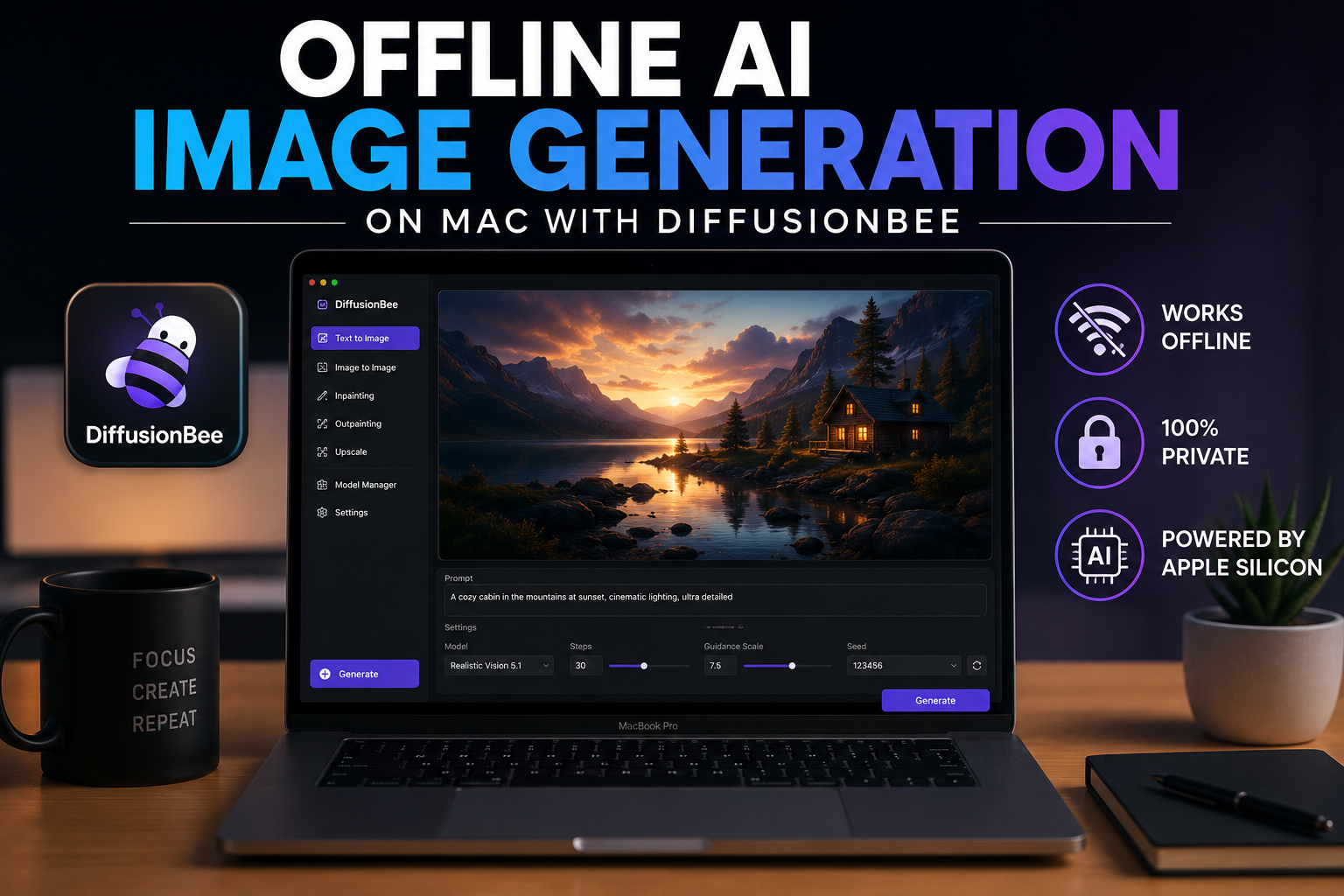
Offline AI Image Generation on Mac with DiffusionBee
Offline AI image generation on Mac is practical with DiffusionBee, an application that runs generative image models locally instead of sending every prompt to a cloud service. After the necessary application resources and models are available, users can generate images without a continuous internet connection. The main trade-offs are local storage, memory use and slower performance on less capable Macs.
What Is DiffusionBee on Mac?
DiffusionBee is a macOS application designed to make local AI image generation easier without requiring users to manually configure a complex Stable Diffusion environment. The application provides a graphical interface for generating and editing images with generative AI models.
DiffusionBee states that image generation takes place locally and that prompts, models and generated images remain on the computer. Its available tools include text-to-image generation, image editing, inpainting, upscaling and other model-dependent creative features.
The major advantage is control: instead of sending each prompt to a remote image-generation server, the Mac performs the generation workload locally.
How Does Offline AI Image Generation on Mac Work?
Offline AI image generation on Mac works by storing the required generative model on the computer and running inference using local hardware. Once the application and required model resources are installed, the Mac can process prompts and generate images without relying on a remote AI server for each generation.
The basic workflow is straightforward:
- Install DiffusionBee on a compatible Mac.
- Download or configure the required model while internet access is available.
- Enter a text prompt describing the desired image.
- Choose appropriate generation options.
- Start generation.
- DiffusionBee processes the model locally and saves the resulting image on the Mac.
Users should therefore distinguish between offline generation and never needing an internet connection. Downloads, model acquisition and software updates can still require internet access.
What Are the DiffusionBee Mac Requirements?
DiffusionBee currently lists macOS 13.1 or later as its minimum operating-system requirement and recommends machines with Apple silicon. Intel-based Macs are also supported according to DiffusionBee, but the developer warns that Intel performance can be significantly slower, particularly without suitable dedicated graphics hardware.
Memory is also important for local generative AI. Larger models, larger output sizes and more demanding workflows consume more system resources. A Mac with more available unified memory therefore provides more flexibility than a low-memory configuration for demanding local AI work.
Users planning to purchase a Mac primarily for local AI should consider memory capacity, GPU capability, storage and sustained workload requirements rather than choosing a machine based only on the processor generation.
How to Use DiffusionBee for Offline AI Image Generation
1. Install DiffusionBee
Download DiffusionBee from its official website and install the macOS application. Check the current system requirements before downloading because software compatibility can change between releases.
2. Prepare the Required Models
Local image generation requires model data stored on the Mac. Downloading models can consume significant storage and requires an internet connection initially.
3. Start With a Clear Prompt
Describe the subject, environment, composition and visual characteristics you want. A clear prompt gives the model more useful information than a long list of unrelated keywords.
4. Generate the First Image
Run the prompt using conservative settings initially. This provides a useful baseline before increasing image dimensions or experimenting with more demanding options.
5. Refine Instead of Rewriting Everything
If the result is close but incorrect, change the specific part of the prompt causing the problem. DiffusionBee also provides image-editing capabilities that can be useful when only part of an existing result needs modification.
DiffusionBee vs Cloud AI Image Generators
Neither local nor cloud AI generation is universally better. DiffusionBee is particularly useful when privacy, local control and offline access matter, while cloud services can be more convenient when a user wants access to powerful remote hardware without using local Mac resources.
| Factor | DiffusionBee on Mac | Cloud AI Generator |
|---|---|---|
| Image processing | Local Mac hardware | Remote servers |
| Offline generation | Yes, after required resources are local | Usually no |
| Prompt privacy | Prompts can remain local | Data is processed by the provider |
| Local storage use | Higher because models are stored locally | Usually lower |
| Hardware dependency | Performance depends on the Mac | Provider supplies compute resources |
| Internet dependency | Low during local generation | Normally required |
| Model control | Greater local control | Depends on provider |
For a designer working while travelling or handling prompts that should remain on a personal computer, local processing can be valuable. For someone generating large volumes of complex images on a low-specification Mac, a cloud platform may be faster or more convenient.
How Well Does DiffusionBee Perform on Apple Silicon?
Apple silicon is the preferred platform for current DiffusionBee use. Apple designs its Macs around integrated CPU, GPU and unified-memory resources, while technologies such as Metal provide hardware acceleration for graphics and machine-learning workloads.
Apple’s current machine-learning platform also emphasizes running AI workloads on-device. The practical performance of DiffusionBee still depends on the model, output resolution, available memory, GPU resources and generation settings.
This means a faster Mac does not automatically produce a better-looking image. More capable hardware primarily affects factors such as generation speed, available model choices and the complexity of workloads that can be handled comfortably.
Is DiffusionBee Private?
DiffusionBee’s main privacy advantage is that image generation can happen locally. According to DiffusionBee, prompts, models and generated images do not need to leave the device during local generation.
This is useful for users who do not want every creative prompt or source image processed by a remote AI provider.
However, “offline” should not be interpreted as a guarantee that every possible application action is permanently disconnected from the internet. Users may still go online to download the application, obtain models, install updates or deliberately use resources outside the local workflow.
Does Offline AI Generation Save Money?
Local generation can reduce dependence on recurring cloud-generation subscriptions, but it is not literally free computing. The user supplies the Mac, storage, electricity and hardware resources.
For someone who already owns a suitable Mac, this can make DiffusionBee attractive for repeated experimentation. A user who needs occasional images may find a cloud service more practical than buying new hardware specifically for local AI.
Pros and Cons of DiffusionBee on Mac
Pros
- AI images can be generated locally.
- Works without continuous internet access once required resources are available.
- Prompts and generated images can remain on the Mac.
- Graphical interface reduces the need for command-line configuration.
- Supports multiple local image-generation and editing workflows.
Cons
- AI models can consume substantial storage.
- Generation speed depends heavily on Mac hardware.
- Intel Macs can be considerably slower than Apple silicon systems.
- Large models and demanding settings can require significant memory.
Who Should Use DiffusionBee on Mac?
DiffusionBee is worth considering for Mac users who prioritize privacy, offline access and control over local AI image generation. Designers, students, researchers, marketers and content creators can experiment with generative images without sending every prompt to a cloud image service.
Cloud AI remains a reasonable alternative for users with older hardware or people who prioritize remote computing performance over offline operation.
If you are selecting a computer specifically for creative or AI workloads, compare memory, GPU capability, storage and your actual applications before buying. Readers in Pakistan can browse available computers and laptops or explore more technology guides from Victory Computer.
Avoid purchasing a Mac solely because a seller claims that one processor generation is automatically “best for AI.” Local AI requirements differ considerably between applications and models. For help selecting hardware around a specific workload, you can contact Victory Computer and explain the software and workload you intend to run.
Frequently Asked Questions
Can I generate AI images completely offline on a Mac?
Yes. DiffusionBee can generate images locally after the necessary application and model resources are available on the Mac. Initial downloads and updates can still require internet access.
Does DiffusionBee work offline?
Yes. DiffusionBee states that image generation runs locally and that prompts, models and generated images remain on the computer during local generation.
Does DiffusionBee work on Apple silicon Macs?
Yes. Apple silicon is the recommended platform for DiffusionBee, and the application is designed to take advantage of local Mac hardware for generation.
Does DiffusionBee work on Intel Macs?
DiffusionBee currently supports Intel Macs, but its developer warns that performance can be very slow compared with Apple silicon when suitable dedicated graphics hardware is unavailable.
How much RAM do I need for DiffusionBee?
Memory requirements vary with the model and workload. More memory provides greater flexibility for demanding models and larger AI workflows, so users should check the requirements of the models they intend to use.
Is offline AI image generation better than cloud AI?
It depends on the priority. Local generation is attractive for privacy, offline access and model control, while cloud AI can provide faster remote compute and avoid consuming local Mac resources.
Lorem ipsum dolor sit amet, consectetur adipiscing elit. Ut elit tellus, luctus nec ullamcorper mattis, pulvinar dapibus leo.

About Victory Computer Editorial Team
Victory Computer Editorial Team The Victory Computer Editorial Team publishes informative, research-based content about laptops, computers, monitors, printers, hardware, and technology trends in Pakistan. Our goal is to help readers understand product specifications, compare available options, and make informed purchasing decisions.
View all posts by Victory Computer Editorial Team