
Ultrabook vs Traditional Laptop: Which Is Worth Your Money?

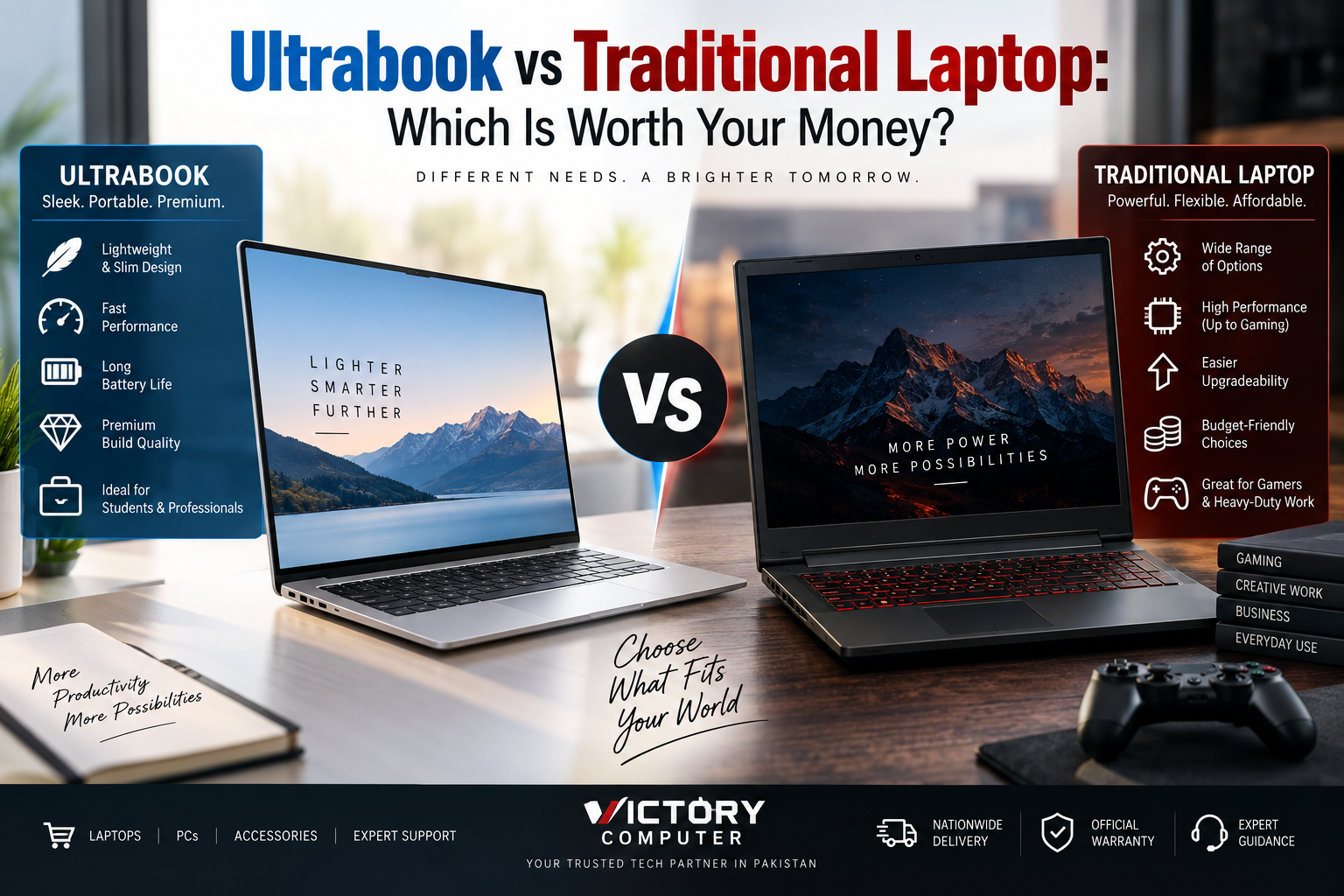
Ultrabook vs Traditional Laptop
Ultrabook vs Traditional Laptop comes down to priorities: choose a thin-and-light premium laptop if portability, battery efficiency, and everyday productivity matter most. Choose a traditional laptop if you need more hardware choices, gaming performance, ports, upgrade options, or a lower entry price. Neither category is automatically better value for every buyer.
Ultrabook vs Traditional Laptop: Quick Comparison
The biggest difference is design priority. Thin-and-light premium laptops emphasize mobility and efficiency, while the wider traditional-laptop market covers everything from affordable everyday notebooks to high-performance gaming and workstation-class machines.
| Feature | Ultrabook / Thin-and-Light | Traditional Laptop |
|---|---|---|
| Best For | Travel, office, university, everyday productivity | Budget use, gaming, demanding workloads, broader requirements |
| Portability | Usually excellent | Varies significantly |
| Performance | Strong focus on efficient mobile performance | Ranges from entry-level to very high performance |
| Battery Life | Often a major design priority | Highly model-dependent |
| Dedicated Graphics | Less common | Widely available in performance models |
| Upgradeability | Often limited | Can be better, depending on model |
| Ports | May have fewer physical ports | Often offers a broader selection |
| Price Range | Commonly premium | Entry-level through premium |
What Is an Ultrabook?
An Ultrabook traditionally refers to Intel’s thin-and-light laptop concept. The term Ultrabook is an Intel trademark, although buyers and retailers sometimes use the word more broadly for slim premium notebooks. Modern buyers will also encounter Intel Evo Edition laptops, which continue the emphasis on mobility, responsiveness, battery efficiency, connectivity, and premium thin-and-light design.
Typical thin-and-light laptops prioritize low weight, compact dimensions, SSD storage, efficient processors, quality displays, and mobile productivity. This makes the category particularly attractive to commuters, students, executives, freelancers, and buyers looking for business laptops in Pakistan.
However, thin construction creates trade-offs. Some models use soldered memory, provide fewer ports, and have less thermal headroom than larger performance-oriented laptops.
What Is a Traditional Laptop?
A traditional laptop is not one tightly defined specification. It is a broad way of describing conventional notebooks that do not necessarily prioritize an ultra-thin form factor.
The category includes affordable everyday laptops, business notebooks, multimedia systems, gaming laptops, mobile workstations, and desktop-replacement machines.
This variety is the main advantage. A buyer can prioritize affordability, a larger screen, more ports, higher-powered processors, dedicated graphics, or serviceable RAM and storage instead of focusing mainly on minimum weight and thickness.
Which Type Offers Better Performance?
A traditional laptop has the higher potential performance ceiling, but an Ultrabook can provide more than enough performance for normal productivity.
Modern thin-and-light systems can comfortably handle office applications, web browsing, video calls, coding, multitasking, streaming, and many creative workloads. Efficient modern processors have significantly reduced the old assumption that a slim laptop must be slow.
For sustained rendering, demanding engineering software, high-end video production, or serious gaming, a thicker performance laptop can provide more room for higher-power CPUs, dedicated graphics, and cooling hardware.
If gaming is the main requirement, compare dedicated-GPU gaming laptops in Pakistan rather than choosing purely on thinness.
Portability and Battery Life
Portability is where thin-and-light laptops generally have their clearest advantage. Reduced weight and compact dimensions make them easier to carry between university, office, meetings, and travel.
Battery life requires more caution. Thin-and-light platforms commonly prioritize power efficiency, and Intel’s current Evo program specifically emphasizes efficient mobile performance and battery life. However, actual runtime still depends on the processor, display, battery capacity, applications, power settings, wireless use, and workload.
Microsoft similarly notes that both hardware and software affect laptop power consumption. Therefore, compare the specific models rather than assuming every slim laptop will outlast every conventional laptop.
For a deeper look at this factor, see our laptop battery life comparison.
Upgradeability and Ports
Traditional laptops often have an advantage when expandability matters, but this varies considerably by model.
Very thin designs have limited internal space, so memory may be soldered and physical ports can be reduced. Some still allow SSD replacement, but buyers should verify the exact configuration before purchasing.
Larger conventional laptops may offer replaceable memory, multiple storage options, Ethernet, HDMI, USB-A, card readers, or other connections. Gaming and workstation models are especially likely to prioritize connectivity and serviceability over minimum thickness.
Ultrabook vs Traditional Laptop: Pros and Cons
Ultrabook Pros
- Excellent portability: Thin and lightweight designs are easier to carry daily.
- Efficiency-focused: The category generally prioritizes mobile performance and battery efficiency.
- Premium construction: Many models use higher-quality chassis materials and displays.
- Good productivity experience: Well suited to office work, study, meetings, browsing, coding, and travel.
- Compact design: Ideal when desk and bag space are limited.
Ultrabook Cons
- Higher cost: Slim engineering and premium materials can increase the purchase price.
- Limited upgrades: Soldered memory is common in many thin laptops.
- Fewer ports: A dock or USB hub may be needed.
- Lower performance ceiling: Extremely thin systems are generally not designed to replace high-power gaming laptops or mobile workstations.
Why We Recommend an Ultrabook
Choose a thin-and-light laptop when you carry your computer frequently and mainly need productivity, communication, study, coding, web work, or general business applications. Buyers who prioritize gaming performance or future hardware upgrades should compare other laptop designs before purchasing.
Traditional Laptop Pros
- Much wider choice: Models are available across entry-level, mainstream, gaming, business, and professional segments.
- Higher performance options: Larger systems can accommodate powerful processors and dedicated GPUs.
- Potentially better upgradeability: Some models allow RAM and storage replacement or expansion.
- More connectivity: Larger chassis can accommodate more physical ports.
- Broader pricing: Buyers can choose from inexpensive everyday machines through premium performance laptops.
Traditional Laptop Cons
- Can be heavier: Performance and gaming machines are less convenient for daily travel.
- Battery life varies widely: High-performance hardware can consume considerably more power.
- Quality varies: The broad category includes both inexpensive entry-level models and premium systems.
- Bulkier chargers: Higher-power laptops may require larger power adapters.
Why We Recommend a Traditional Laptop
Choose a conventional laptop when price flexibility, gaming, dedicated graphics, extensive ports, or upgrade potential matters more than having the thinnest possible machine. It is also the more practical category to explore when shopping within a strict budget.
Which Should You Buy?
The Ultrabook vs Traditional Laptop decision becomes easier once you identify your main workload.
| User | Better Starting Point | Why |
|---|---|---|
| University student | Ultrabook / thin-and-light | Easy to carry between classes |
| Business professional | Ultrabook / thin-and-light | Mobility and efficient everyday productivity |
| Frequent traveler | Ultrabook / thin-and-light | Lower weight and compact design |
| Budget buyer | Traditional laptop | Much wider range of affordable configurations |
| Competitive gamer | Performance/gaming laptop | Dedicated graphics and stronger cooling options |
| 3D/rendering professional | Performance laptop/workstation | Higher sustained CPU/GPU performance options |
| Office/home user | Either | Choose based on budget and portability requirements |
Which Offers Better Value in Pakistan?
Value depends on what you actually need rather than which category has the lower price. Paying extra for an ultra-thin chassis makes little sense if the laptop stays on a desk and you need dedicated graphics. Conversely, buying a heavy performance laptop is poor value if most of your day involves carrying it between meetings or classes.
Buyers with tighter budgets can compare budget laptops in Pakistan. Buyers focused on mobility and office work should compare processor efficiency, weight, display quality, ports, battery capacity, RAM configuration, and warranty before deciding.
Because laptop prices and inventory change, check the current configuration and selling price rather than relying on an old market estimate.
Final Verdict: Ultrabook or Traditional Laptop?
Choose an Ultrabook-style thin-and-light laptop for portability, mobility, efficient everyday performance, and a premium compact design. Choose a traditional laptop when you prioritize price flexibility, dedicated graphics, sustained performance, connectivity, or upgradeability.
There is no universal winner. For students and professionals carrying a laptop every day, reducing weight can justify the premium. Gamers and demanding creators will usually benefit more from spending their budget on performance hardware instead of minimum thickness.
You can compare current laptop categories and configurations at Victory Computer before choosing a model that matches your workload and budget.
Frequently Asked Questions
Is an Ultrabook better than a normal laptop?
An Ultrabook-style laptop is generally better when portability and efficient mobile use are priorities. A larger conventional laptop may be better for gaming, demanding workloads, ports, or upgrades.
Is an Ultrabook worth the extra money?
It can be worth paying more if you regularly carry your laptop and value low weight, compact dimensions, and premium construction. The premium is harder to justify for a laptop that rarely leaves a desk.
Are Ultrabooks good for gaming?
Thin-and-light laptops can handle lighter gaming depending on their graphics hardware, but dedicated gaming laptops are generally a better choice for demanding games and sustained GPU workloads.
Can I upgrade an Ultrabook?
Upgradeability depends on the exact model. Many thin laptops use soldered RAM, while some still provide a replaceable or upgradeable SSD.
Which is better for students?
A thin-and-light laptop is attractive for students who carry a computer around campus. A conventional budget laptop may provide better value when purchase price matters more than weight.
Which laptop type lasts longer?
Form factor alone does not determine lifespan. Build quality, cooling, battery health, component quality, workload, maintenance, and repairability all influence how long a laptop remains useful.

About Victory Computer Editorial Team
Victory Computer Editorial Team The Victory Computer Editorial Team publishes informative, research-based content about laptops, computers, monitors, printers, hardware, and technology trends in Pakistan. Our goal is to help readers understand product specifications, compare available options, and make informed purchasing decisions.
View all posts by Victory Computer Editorial Team