
AOC AG493UCX2 49-Inch DQHD 1440p 165Hz | Expert review

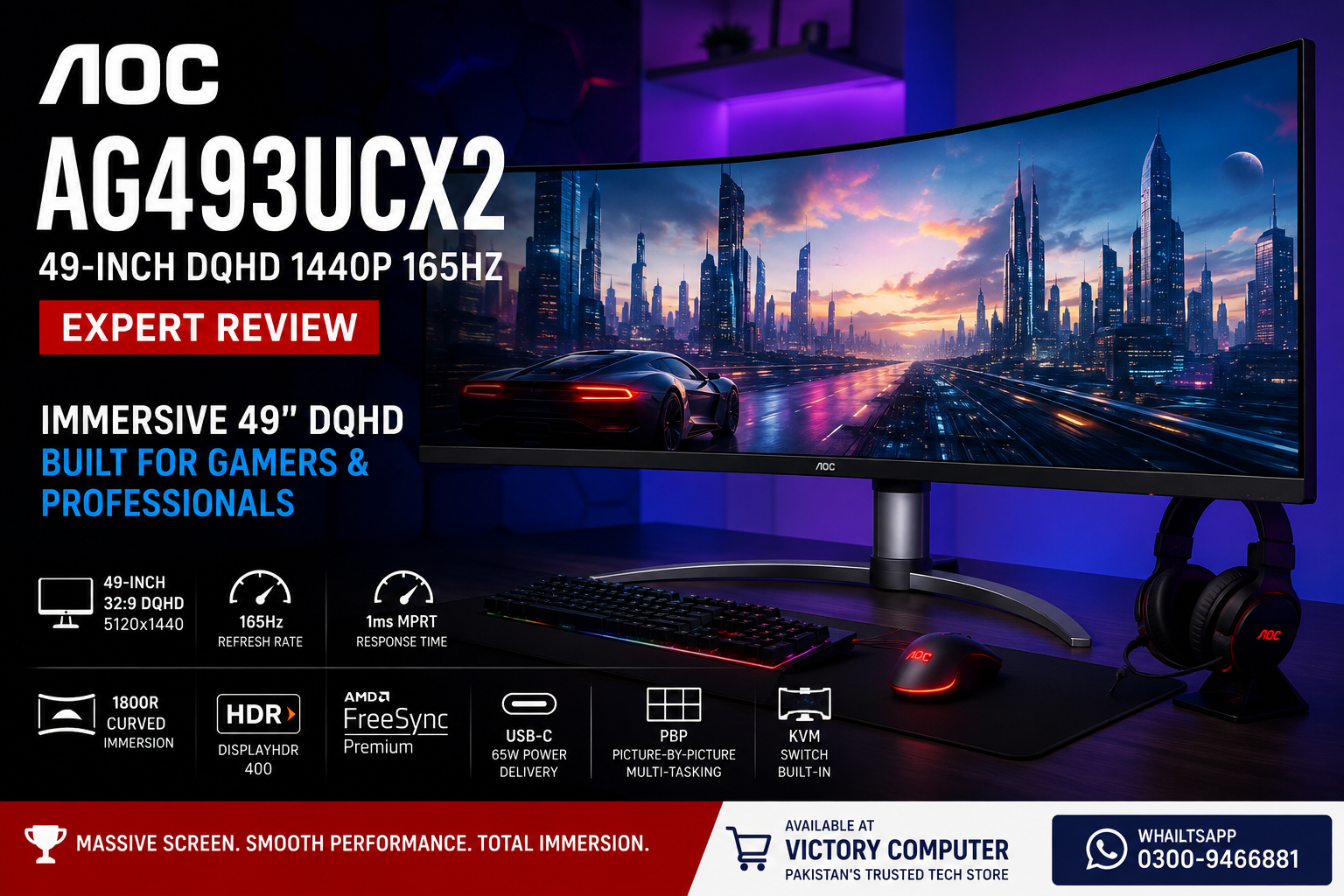
AOC AG493UCX2 Review: Is This 49-Inch DQHD Monitor Worth It?
The AOC AG493UCX2 is a 49-inch super-ultrawide monitor built for gamers and professionals who want enormous horizontal workspace without running two separate displays. Its 5120×1440 DQHD resolution, 165Hz refresh rate, 1800R curve and VA panel make it particularly attractive for immersive gaming, simulation titles and heavy multitasking, although its size and GPU requirements will not suit everyone.
AOC AG493UCX2 Key Specifications
For this AOC AG493UCX2 review, the most important point is that the monitor combines the screen area of two conventional QHD displays into one continuous 32:9 desktop. AOC lists the panel at 48.8 inches with a native resolution of 5120×1440.
| Feature | AOC AG493UCX2 |
|---|---|
| Screen Size | 48.8 inches |
| Resolution | 5120×1440 DQHD |
| Aspect Ratio | 32:9 |
| Panel | VA |
| Curvature | 1800R |
| Maximum Refresh Rate | 165Hz |
| Response Time | 4ms GtG / 1ms MPRT |
| Brightness | 400 cd/m² |
| HDR | VESA DisplayHDR 400 |
| Adaptive Sync | AMD FreeSync Premium |
| USB-C | Yes, including up to 65W Power Delivery |
| Multiview | Picture-by-Picture |
AOC also equips the AG493UCX2 with DisplayPort 1.4, HDMI connectivity, USB connectivity, integrated speakers and a KVM function. These features make the display more versatile than a gaming-only ultrawide.
How Good Is the 49-Inch DQHD Display?
The biggest reason to consider the AG493UCX2 is its 5120×1440 DQHD resolution. The 32:9 aspect ratio provides roughly the horizontal workspace of two 2560×1440 displays positioned next to each other, but without a bezel dividing the centre of the image.
That format is especially useful for racing simulators, flight simulators, strategy games and compatible open-world titles because more of the game environment can fill your peripheral vision. The 1800R curvature helps make such a wide panel easier to view from a central seating position.
Productivity is another strong use case. Multiple applications can sit side by side without requiring a traditional dual-monitor setup. Video editors can stretch timelines across the screen, while office users can keep spreadsheets, browsers, communication tools and reference material visible simultaneously.
The trade-off is physical space. A monitor this wide requires a substantial desk, and users who mainly browse the web or play games without good ultrawide support may get limited value from the additional width.
AOC AG493UCX2 Review: Gaming Performance at 165Hz
The 165Hz refresh rate is a major advantage for gaming. High frame-rate gameplay appears considerably smoother than on a conventional 60Hz office display, particularly in racing games, shooters and other fast-moving titles.
AOC specifies a 4ms GtG response time and a 1ms MPRT figure. It is therefore more accurate to describe the monitor as 1ms MPRT rather than simply claiming a universal 1ms response time.
AMD FreeSync Premium support also helps synchronize the monitor’s refresh behaviour with compatible GPU output, reducing visible tearing when frame rates fluctuate.
The main challenge is GPU load. Rendering games at 5120×1440 involves substantially more pixels than standard 2560×1440 gaming. Buyers who want high graphics settings and high frame rates should therefore pair this type of display with a suitably capable graphics card.
If you are comparing other resolutions and screen sizes, Victory Computer’s guide to the best 1440p gaming monitors provides useful alternatives.
HDR and Image Quality
The AG493UCX2 uses a VA panel with a specified 3000:1 static contrast ratio and 400 cd/m² brightness. VA technology is well suited to users who value deeper blacks and stronger contrast than many conventional IPS displays can provide.
The monitor carries VESA DisplayHDR 400 certification. HDR support can improve compatible games and media, but DisplayHDR 400 should be treated as entry-level HDR rather than the same experience delivered by high-end Mini-LED or OLED displays with advanced local dimming.
That distinction matters when evaluating the monitor primarily for HDR. The AG493UCX2 is better viewed as a high-refresh super-ultrawide monitor with useful HDR support rather than a specialist HDR display.
Productivity, USB-C and KVM
The AOC AG493UCX2 becomes particularly interesting for users who combine a gaming desktop with a work laptop. Its USB-C connection supports DisplayPort Alternate Mode and up to 65W USB Power Delivery, allowing compatible notebooks to carry video and receive power through one USB-C connection.
The integrated KVM function can also let a keyboard and mouse serve multiple connected computers. That can simplify a desk where a work notebook and gaming PC share the same monitor and peripherals.
Picture-by-Picture further supports multitasking by allowing content from multiple sources to appear on the display simultaneously.
These features make the AG493UCX2 useful for developers, traders, editors, streamers and professionals who would otherwise use two monitors.
What Are the Main Pros and Cons?
Pros
- Massive 49-inch 32:9 workspace
- Sharp 5120×1440 DQHD resolution
- 165Hz refresh rate for smooth gaming
- 1800R curved VA panel with strong contrast
- AMD FreeSync Premium support
- USB-C with up to 65W Power Delivery
- KVM and Picture-by-Picture support
Cons
- Requires significant desk space
- 5120×1440 gaming places a heavy load on the GPU
- Not every game handles a 32:9 aspect ratio equally well
- DisplayHDR 400 is relatively basic HDR
- A 49-inch screen can be excessive for simple office or casual gaming use
Who Should Buy the AOC AG493UCX2?
The AG493UCX2 makes the most sense for users who will actually benefit from its unusual width. Sim-racing enthusiasts, flight-sim players, immersive PC gamers, streamers and professionals with complex multitasking workflows are the strongest candidates.
The monitor is also compelling for someone considering two 27-inch QHD displays but wanting one continuous desktop instead of a central bezel.
For competitive esports players focused almost entirely on maximum frame rates, a smaller high-refresh 16:9 display may be more practical. Similarly, buyers with limited desk space should consider conventional 27-inch or 32-inch options from Victory Computer’s gaming monitors in Pakistan range.
Is the AOC AG493UCX2 Worth It?
Yes, for the right user. The AG493UCX2 combines an unusually large 5120×1440 workspace with a 165Hz refresh rate, 1800R curvature, FreeSync Premium, USB-C, KVM and Picture-by-Picture. Few conventional monitors can reproduce the same combination of gaming immersion and desktop space.
The strongest reason to buy it is not simply the 49-inch size. The real value comes from replacing a dual-QHD arrangement with one uninterrupted screen while retaining high-refresh gaming capability.
The biggest reasons to avoid it are equally clear: the monitor requires considerable desk space, high-resolution gaming benefits from a strong GPU, and the 32:9 format is unnecessary for users who mainly perform basic computing tasks.
AOC AG493UCX2 in Pakistan
Pakistani buyers considering the AG493UCX2 should compare its current price and availability against other premium ultrawide and high-refresh displays rather than choosing solely by screen size. Current stock and pricing can change, so they should be confirmed before ordering.
You can browse gaming monitor options at Victory Computer or explore the wider LED monitor range in Pakistan. For current information about the AG493UCX2, contact Victory Computer before purchasing.
Victory Computer serves customers looking for computers, gaming hardware and displays in Pakistan.
Frequently Asked Questions
Is the AOC AG493UCX2 good for gaming?
Yes. Its 165Hz refresh rate, 5120×1440 resolution, 1800R curve and FreeSync Premium support make it particularly suitable for immersive PC gaming and simulation titles.
What resolution is the AOC AG493UCX2?
The native resolution is 5120×1440 DQHD with a 32:9 aspect ratio. The workspace is comparable to placing two 2560×1440 displays side by side.
Does the AOC AG493UCX2 have a 1ms response time?
AOC specifies 1ms MPRT and 4ms GtG. The distinction matters because the two measurements describe response performance differently.
Does the AOC AG493UCX2 support USB-C?
Yes. It supports USB-C with DisplayPort Alternate Mode and USB Power Delivery up to 65W for compatible devices.
Is the AOC AG493UCX2 useful for office work?
Yes, especially for heavy multitasking. The 32:9 desktop, Picture-by-Picture support, USB-C and KVM functionality can replace a conventional dual-monitor workspace for many users.
Do I need a powerful graphics card for the AG493UCX2?
A capable GPU is recommended for demanding games at the native 5120×1440 resolution, particularly if you want to combine high graphics settings with high frame rates.