
ASUS XONAR AE 7.1 SNR PCIe Gaming Sound Card | Expert review

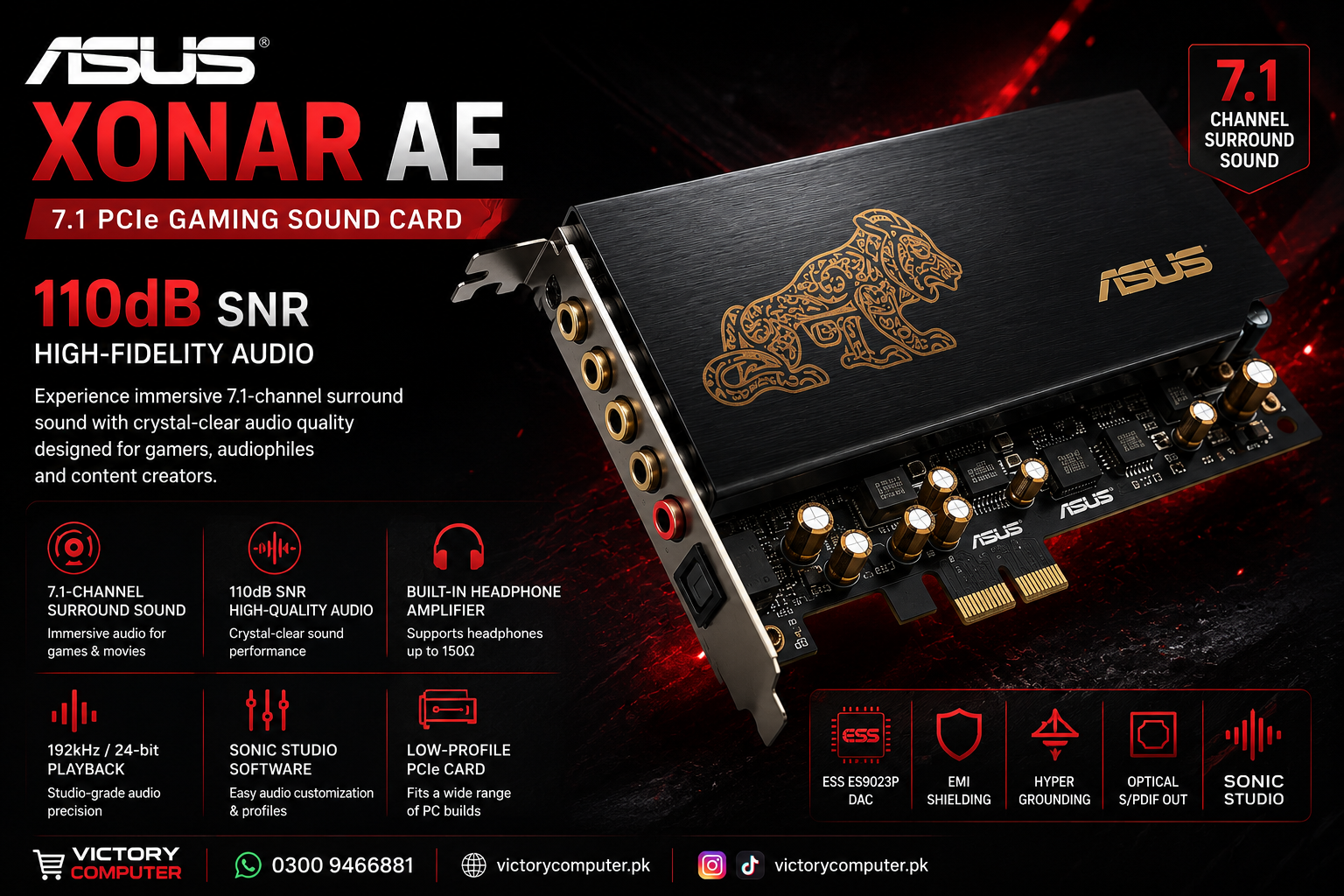
ASUS Xonar AE Review: Is This 7.1 PCIe Sound Card Worth It?
The ASUS Xonar AE is a dedicated PCIe sound card aimed at PC users who want better audio control, 7.1-channel output and stronger headphone support than a basic audio setup can provide. Its main attractions are 192kHz/24-bit Hi-Res playback, a 110dB signal-to-noise ratio and an integrated 150-ohm headphone amplifier.
ASUS Xonar AE 7.1 PCIe Sound Card: Key Specifications
The ASUS Xonar AE sound card combines multichannel output with high-resolution playback and a dedicated DAC. According to ASUS, the card supports up to 7.1-channel, 192kHz/24-bit audio and has a rated 110dB signal-to-noise ratio.
- Interface: PCIe
- Surround output: Up to 7.1 channels
- Playback: Up to 192kHz/24-bit Hi-Res audio
- Signal-to-noise ratio: 110dB
- Primary DAC: ESS ES9023P
- Headphone amplifier: Up to 150-ohm headphone support
- Audio control: ASUS Sonic Studio
- Additional protection: EMI back plate and Hyper Grounding technology
Full manufacturer information is available on the official ASUS Xonar AE page.
How Good Is the ASUS Xonar AE Audio Quality?
The ASUS Xonar AE is designed to provide a cleaner dedicated audio path than relying solely on a basic integrated audio implementation. Its ESS ES9023P DAC and rated 110dB SNR are central to that design.
The card supports 192kHz/24-bit Hi-Res playback, giving it enough capability for high-resolution music files as well as games and movies. ASUS also uses its Hyper Grounding PCB design and an EMI back plate to help reduce electrical interference.
The practical benefit depends on the rest of the setup. Better headphones or speakers are more likely to reveal the advantages of a dedicated sound card than inexpensive entry-level audio equipment.
Is ASUS Xonar AE Good for Gaming?
Yes, gaming is one of the main intended uses of the Xonar AE. The card provides up to 7.1-channel output and gives users control over speaker configuration and audio profiles through ASUS Sonic Studio.
For games that make effective use of multichannel audio, a properly configured speaker setup can provide a more spacious presentation. Headphone users can also benefit from the card’s dedicated amplifier and audio controls.
A sound card does not increase FPS or GPU performance. The reason to add the Xonar AE to a gaming PC is improved audio hardware, connectivity and control. Users planning a complete build can also review our guide to gaming motherboards in Pakistan before choosing components.
Built-In 150-Ohm Headphone Amplifier
The integrated headphone amplifier is one of the strongest reasons to consider the Xonar AE gaming sound card. ASUS rates the amplifier for headphones up to 150 ohms, making the card suitable for a broader range of headphones than a weak headphone output may comfortably drive.
That does not mean every headset automatically sounds dramatically better. Headphone sensitivity, impedance, tuning and source quality all affect the final result. However, users with more demanding headphones have a clearer reason to consider dedicated audio hardware.
If you are building the rest of your setup as well, see our guide to gaming headphones in Pakistan.
ASUS Sonic Studio Audio Controls
Sonic Studio gives the ASUS Xonar AE centralized software control over its major audio settings. ASUS provides controls for equalization, audio profiles and 7.1-speaker level balancing from a single interface.
The software also includes Perfect Voice controls intended to reduce unwanted background noise during voice communication. This can be useful for gaming chat and other microphone-based communication.
Users who prefer a simple, untouched stereo signal may not need extensive software processing, but gamers who switch between headphones, speakers, movies and different game profiles can benefit from having these controls available.
ASUS Xonar AE vs Onboard Audio: Is a Sound Card Still Worth It?
A dedicated sound card makes the most sense when your existing audio hardware is limiting your setup. Modern motherboards can already include capable onboard audio, so upgrading solely because a dedicated card exists is not always necessary.
The ASUS Xonar AE becomes more attractive when you specifically need its 7.1 analog outputs, dedicated 150-ohm headphone amplifier, optical S/PDIF output, 110dB SNR design or Sonic Studio controls.
If your current motherboard already drives your headphones properly and produces clean audio through the connections you need, the improvement may be less significant. In that situation, spending the budget elsewhere in the PC could provide a more noticeable overall upgrade.
Who Should Buy the ASUS Xonar AE?
The ASUS Xonar AE is best suited to desktop users who have a specific reason to move beyond their current onboard audio.
- PC gamers building a 5.1 or 7.1 speaker setup
- Users with headphones that benefit from stronger amplification
- Music listeners wanting a dedicated ESS DAC-based audio path
- Users who need optical S/PDIF output
- Desktop builders who want detailed software audio controls
For a basic office PC using inexpensive stereo speakers, a dedicated PCIe sound card may be unnecessary.
ASUS Xonar AE Pros and Cons
Pros
- 7.1-channel analog audio support
- 192kHz/24-bit Hi-Res playback
- 110dB rated SNR
- Integrated 150-ohm headphone amplifier
- ESS ES9023P DAC
- Optical S/PDIF output
- Useful Sonic Studio controls
Cons
- Requires an available PCIe slot
- Not every PC needs a dedicated sound card
- Benefits depend heavily on headphones, speakers and existing motherboard audio
- Official ASUS specifications list Windows 7, Windows 8.1 and Windows 10; users of newer operating systems should verify current driver support before purchasing
Why We Recommend It
The ASUS Xonar AE is worth considering when 7.1 analog connectivity, dedicated headphone amplification or greater audio control solves a specific limitation in your current PC. Users already satisfied with good motherboard audio and simple stereo headphones may have less reason to add another component.
ASUS Xonar AE Price in Pakistan and Buying Advice
The ASUS Xonar AE price in Pakistan can change with stock, import costs and market conditions, so a fixed price should not be treated as permanent. Check the current ASUS Xonar AE sound card listing at Victory Computer for the latest displayed product information.
Before buying, confirm that your desktop motherboard has a suitable available PCIe slot and that your operating system has appropriate driver support. Buyers planning a complete desktop setup can also browse desktop PCs in Pakistan.
For product assistance, contact Victory Computer in Lahore at 0300 9466881.
Frequently Asked Questions
Is ASUS Xonar AE good for gaming?
Yes. The ASUS Xonar AE is specifically designed as a PCIe gaming sound card and supports up to 7.1-channel audio, high-resolution playback and dedicated headphone amplification.
Does ASUS Xonar AE support 7.1 surround sound?
Yes. ASUS specifies up to 7.1-channel audio output for the Xonar AE.
What is the SNR of the ASUS Xonar AE?
The ASUS Xonar AE has a rated signal-to-noise ratio of 110dB.
Does ASUS Xonar AE have a headphone amplifier?
Yes. ASUS equips the card with an integrated headphone amplifier designed to support headphones up to 150 ohms.
Is ASUS Xonar AE better than onboard audio?
It can be a worthwhile upgrade when your onboard audio lacks the amplification, outputs or controls you need. The difference will depend on the quality of your motherboard audio, headphones and speakers.
Should I buy the ASUS Xonar AE in 2026?
The hardware remains useful for PCs that specifically need its 7.1 outputs, headphone amplifier or dedicated audio features. Before buying for a modern system, verify current driver compatibility with your operating system.
Lorem ipsum dolor sit amet, consectetur adipiscing elit. Ut elit tellus, luctus nec ullamcorper mattis, pulvinar dapibus leo.

About Victory Computer Editorial Team
Victory Computer Editorial Team The Victory Computer Editorial Team publishes informative, research-based content about laptops, computers, monitors, printers, hardware, and technology trends in Pakistan. Our goal is to help readers understand product specifications, compare available options, and make informed purchasing decisions.
View all posts by Victory Computer Editorial Team